Giftster alternatives in 2026
Compare Giftster alternatives for cross-store wishlists, price alerts, and gift exchanges. Choose LMK for tracking, or keep a manual list for control.

Giftster is a free service for family groups, cross-store wishlists, and reserving or purchasing gifts. If your next priority is automatic price-drop alerts or a different exchange setup, compare those workflows rather than replacing a list that already works. The best Giftster alternative in 2026 is LMK if you need cross-store wishlists with automatic price tracking; a shared spreadsheet fits better if you want to maintain the details yourself.
- Among Giftster alternatives, LMK fits shoppers who want cross-store wishlists and automatic price-drop alerts.
- Giftster remains a practical choice for family groups already using gift reservations.
- Shared spreadsheets offer editable structure but require manual updates and gift coordination.
- Choose an exchange organizer for name draws, not just a place to collect gift ideas.
Why this matters
A wishlist, a purchase-coordination system, and a gift-exchange organizer solve different problems. A list tells someone what you want; purchase coordination helps buyers avoid overlap; an organizer handles assignments or picking order.
Start with the task your current setup makes difficult. If your problem is scattered retailer links, this guide to combining Amazon, Target, Walmart, and Etsy into one gift list addresses that workflow directly. Changing tools without naming the problem just gives your family another link to learn.
Giftster alternatives at a glance
This 2026 comparison separates confirmed product capabilities from manual approaches. A spreadsheet or shared document is not a substitute for every wishlist feature; each trades automation for direct editing.
| Option | Best for | Standout capability | Difference from Giftster |
|---|---|---|---|
| Giftster | Families using groups and gift reservations | Cross-store lists with reservation and purchasing features | The baseline; keep it when those features meet your needs |
| LMK | Cross-store shopping with automatic price alerts | Wishlists from hundreds of stores, plus price-drop alerts | A fit when tracking and the described guest exchange flow match your priorities |
| Shared spreadsheet | Organizers who want custom fields | Rows and columns you define yourself | You maintain item details and coordinate buying manually |
| Shared document | Small, informal collections of gift ideas | Flexible notes beside product links | A written list rather than a purpose-built gift coordination system |
Giftster’s homepage FAQ confirms that family groups, making and sharing wishlists, adding gifts from any store, and reserving or purchasing items are free, as corroborated on November 1, 2026. Cross-store lists alone are not a reason to switch from Giftster.
1. LMK: best for cross-store wishlists with price alerts
You can collect items from hundreds of online retailers, including Amazon, Target, Walmart, and Etsy, in a single wishlist or gift registry. Automatic price tracking and drop alerts support the shopping side of the process, rather than leaving you to revisit every product page yourself.
LMK is best for US shoppers who want cross-store wishlists with automatic price-drop alerts. That is the clearest reason to consider it here—not an unsupported claim that other wishlist services cannot combine stores.
Where it shines
- Cross-store organization: Keep gift ideas from different retailers in one wishlist or registry.
- Automatic alerts: Track price drops without making repeated manual checks your entire shopping routine.
- Exchange choices: A signed-in host can organize Secret Santa name draws or White Elephant picking order.
- Guest entry: Guests join an exchange through a shared link with a first name, without an account or download.
- Assignment privacy: The host cannot see other participants’ Secret Santa assignments.
For a closer look at the tracking workflow, see how wishlist price-drop notifications work. Keep the distinction clear: an alert helps you notice a change; it does not decide whether an item suits the recipient.
Where it falls short
- The host must sign in. Guest access does not make exchange creation account-free.
- Invitation sharing is your task. The host sends the link through their own texts, WhatsApp messages, or email.
- Assignments stay hidden from the host. That protects the draw, but it does not suit an organizer who wants to inspect everyone’s assignment.
- A budget is guidance. Setting an exchange budget does not enforce spending at checkout.
Head-to-head with Giftster
| Dimension | LMK | Giftster |
|---|---|---|
| Cross-store wishlists | Items from hundreds of retailers | Gifts from any store |
| Main reason to choose | Automatic price tracking and drop alerts | Family groups and gift reservations |
| Exchange workflow described here | Secret Santa draws or White Elephant picking order | Choose based on the specific exchange features your group needs |
| Practical trade-off | Host signs in and shares invitations manually | Switching is unnecessary if the existing family workflow works |
Best for: Shoppers who want price alerts alongside cross-store lists, or hosts who want the described web-based exchange flow.
Verdict: Choose this option when tracking or guest participation solves your actual problem. Do not move a functioning family group merely to get another universal wishlist.
Set up the exchange before collecting gifts
For a holiday exchange in 2026, settle the event structure before asking everyone to add products. Secret Santa assigns recipients; White Elephant uses a picking order. Those are different activities, so name the format in your invitation.
- Choose the format: Select Secret Santa or White Elephant.
- Set expectations: Set the budget and date, and explain the group’s rules in plain language.
- Share the link: Send the invitation through your own messages or email.
- Attach wishlists: Use individual cross-store lists to give buyers specific ideas.
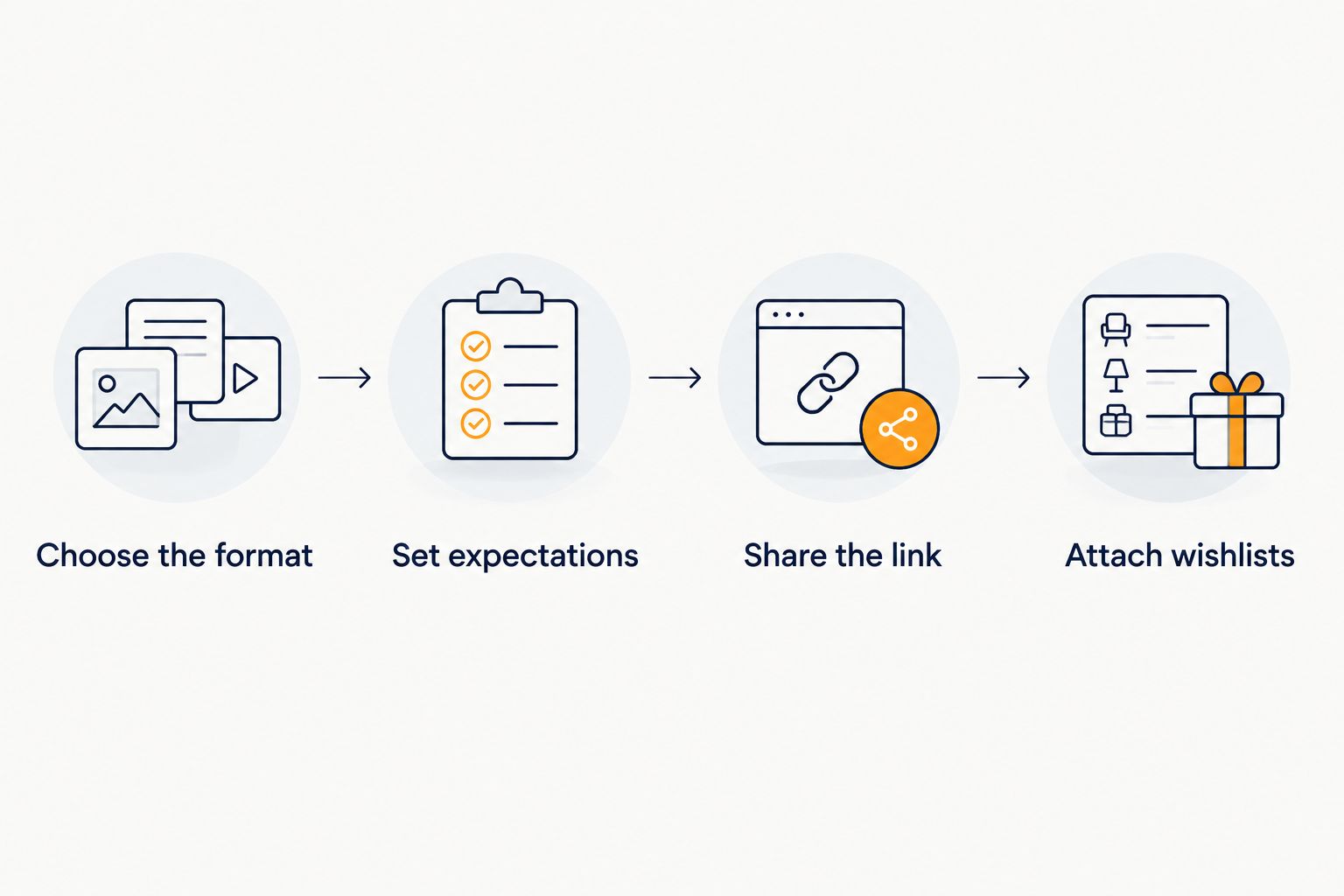
The organizer handles the name draw or picking order, not every social rule at the party. Explain White Elephant stealing rules separately, and do not treat the budget as a checkout restriction. The guide to running an office Secret Santa without spreadsheets covers the related planning workflow.
2. Shared spreadsheet: best for custom gift-planning fields
A shared spreadsheet suits an organizer who wants to decide exactly what each row contains. You can build columns around recipients, product links, sizes, notes, and buying responsibilities rather than fitting your process into a preset list.
That flexibility comes with maintenance. Someone needs to update the sheet, explain the conventions, and resolve unclear entries; the format does not do that work for you.
Where it shines
- Custom structure: Define the fields your group actually needs.
- Visible planning: Put recipients, links, and organizer notes together.
- Editable conventions: Change headings and instructions as the event takes shape.
Where it falls short
- Manual tracking: A plain sheet requires someone to revisit product details and update entries.
- Visibility conflicts: A buyer’s claim is not a surprise if the recipient can see the same cell.
- Coordination work: A column called “purchased” only helps when people use it consistently.
Before giving everyone editing access, decide who owns the list and who records purchases. This guide to sharing and editing a wishlist with multiple people addresses the collaboration question behind that decision.
Best for: An organizer who values custom fields more than automated shopping support.
Verdict: Hold onto a spreadsheet for planning, but do not mistake a shared grid for private gift coordination. If surprise matters, separate recipient-visible ideas from buyer-only notes.
3. Shared document: best for informal gift ideas
A shared document works when the useful part is the explanation beside the link. It gives you space to write a preferred size, describe a hobby, or explain why an example item is useful.
It is also easy to outgrow. Once buyers need reservations, separate permissions, or automated tracking, a written document leaves more coordination to the group.
Where it shines
- Context: Explain preferences in ordinary sentences.
- Flexible ideas: Mix product links with non-product suggestions.
- Simple organization: Use headings for people, occasions, or interests.
Where it falls short
- Manual upkeep: You must maintain links and item details.
- No structured buying workflow: Written notes are not a dedicated reservation system.
- Surprise management: Purchase notes need a separate place if recipients can read the document.
Best for: An informal list where understanding someone’s preferences matters more than tracking gifts.
Verdict: Hold for brainstorming; skip it as your only system when buyers need private coordination.
Why people switch from Giftster
A sensible switch starts with a requirement, not a competitor ranking. For your 2026 shortlist, use these specific decision points without assuming Giftster lacks every feature another option offers.
You want automatic price-drop alerts
Automatic tracking is an explicit reason to consider the first alternative. If checking retailer pages is the task you want to remove, assess the alert workflow before rebuilding the rest of your gift setup.
Do not confuse tracking with a shopping recommendation. An item that drops in price still needs to match the recipient’s size, preferences, and needs.
You want a particular guest-entry process
For an exchange, participant effort matters alongside the host’s controls. The described organizer lets guests join through a shared link with a first name and no guest account or download.
That is a concrete workflow to evaluate. It is not evidence that every competing organizer requires an app, nor a reason to promise that invitations send themselves.
You want a different event format
White Elephant picking order and Secret Santa recipient assignments are separate requirements. Choose based on the event you are actually running, then check how wishlists support it.
For White Elephant, explain gift-stealing rules yourself. A picking-order tool should not be presented as automatic enforcement of the game.
You want custom planning rather than another app
A spreadsheet wins when the job is keeping organizer-specific notes in fields you control. A document wins when the job is capturing open-ended ideas.
Neither approach removes the need for clear buying instructions. Write down who updates the list and where purchase decisions belong before sharing it.
When staying with Giftster is the right call
Stay with Giftster when your family already uses its groups, cross-store lists, and gift reservations successfully. Those are real capabilities, and the service is free; a comparison should not manufacture a subscription problem to justify a move.
Before changing tools in 2026, ask whether everyone can find the right list, understand the buying process, and keep gifts coordinated. If the answers are yes, switching needs a specific benefit that outweighs teaching the group a new routine.
You can also keep gift planning and exchange organization as separate decisions. Replacing the name-draw process does not automatically require rebuilding every wishlist.
FAQ
What's the best Giftster alternative in 2026?
LMK is the best fit here for US shoppers who want cross-store wishlists with automatic price-drop alerts. A shared spreadsheet is the better fit when custom planning fields matter more than automation.
Is Giftster a free service?
Yes, Giftster is a free service. Its homepage FAQ confirms that family groups, making and sharing wishlists, adding gifts from any store, and reserving or purchasing items are free.
Should I switch just to combine gifts from different stores?
No, combining stores alone is not a reason to leave Giftster. Giftster already supports adding gifts from any store; choose an alternative for a specific workflow you need.
Do guests need an account for the exchange organizer described here?
No, guests can join through a shared link with a first name, without an account or download. The host signs in to create the exchange and shares the invitation through their own messages or email.
Can the host see everyone's Secret Santa assignment?
No, the host cannot see other participants’ Secret Santa assignments in the organizer described here. That protects the draw but does not suit a host who wants to inspect every assignment.
Can I use a spreadsheet instead of a wishlist app?
Yes, a spreadsheet works for manually maintained gift planning. You must manage updates, purchase coordination, and the visibility of buyer notes yourself.
Does setting an exchange budget stop guests from overspending?
No, setting the budget does not enforce spending at checkout. Explain the expectation in your invitation and keep it separate from the organizer’s name-draw or picking-order function.
One last thing
Test what a recipient can see before inviting the whole group. An item list and a buyer’s purchase note serve different audiences; putting both in the same shared space can spoil the surprise.
Use the guide to keeping a wishlist private from certain people to frame that check. Decide who should see ideas, who should see buying decisions, and who should see assignments—then choose the system that matches those boundaries.