
How do you keep a wishlist private from certain people?
Learn how to keep a wishlist private with recipient-only access, separate gift lists, and signed-out checks. Keep shared links from becoming privacy shortcuts.
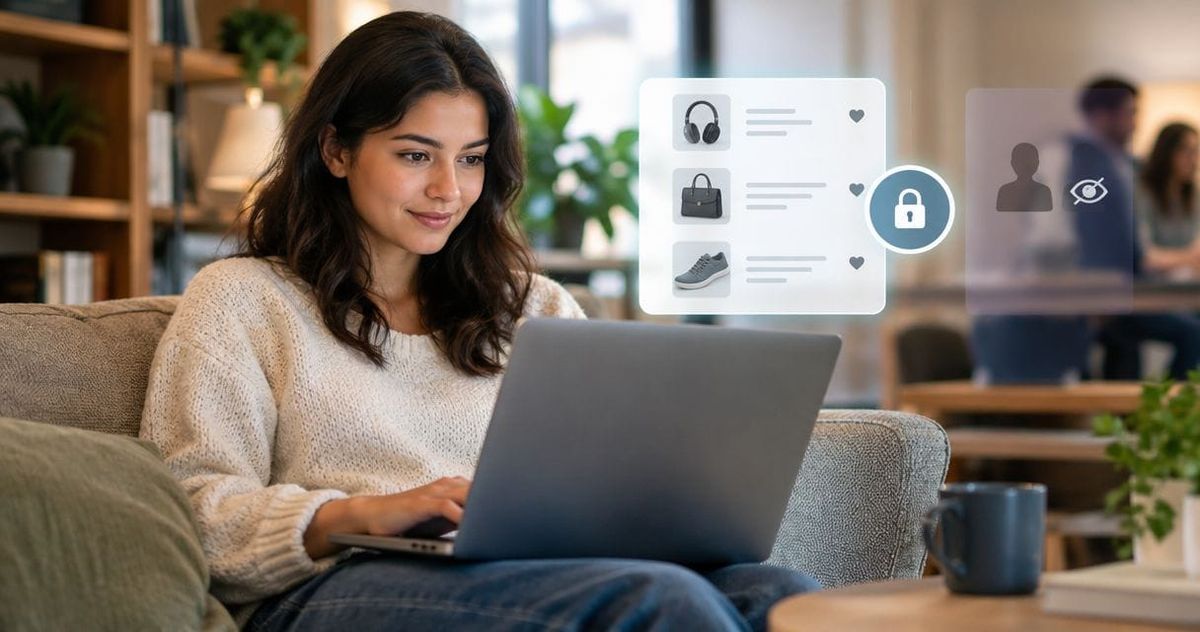
To keep a wishlist private from certain people in 2026, use access restricted to named recipients if your wishlist service offers it, or keep sensitive items on a separate list that you do not share. A link-only list is not the same as a recipient-restricted list: someone can forward the link. Before sending anything, check what a signed-out visitor and an excluded person can actually open.
- How to keep a wishlist private: restrict recipients, separate sensitive items, and test access before sharing.
- Link-only wishlist sharing does not stop recipients from forwarding the link.
- LMK suits US shoppers who want cross-store wishlists and automatic price-drop alerts.
- Removing access cannot erase screenshots or copies someone already saved.
How do you keep a wishlist private from certain people?
Choose access controls that identify the viewer, not just a setting that hides the list from search. If your service cannot distinguish an invited person from anyone holding the link, do not put information on that shared list that you need to hide from a specific person.
Use the table below to distinguish common sharing models. These are access patterns to check for, not features promised by every wishlist service.
| Sharing model | Best for | Main benefit | Main limitation |
|---|---|---|---|
| Owner-only access | Personal shopping plans | Keeps the list out of ordinary shared viewing | Gift-givers cannot use it while it remains private |
| Named-recipient access | Sharing while excluding specific people | Ties permission to an approved viewer | Requires a service that supports recipient-level access |
| Link-only access | Low-sensitivity gift ideas | Makes sharing straightforward | A forwarded link can reach someone you excluded |
| Public access | Ideas intended for anyone | Lets people find and view the list | Does not meet a person-specific privacy goal |
Start with the audience, then organize the items. A workflow for turning scattered tabs into one gift link helps with consolidation, but putting everything behind one link does not make everything appropriate for the same audience.
Why this matters
Wishlist privacy has two separate jobs: keeping people from finding a list and keeping unauthorized people from opening it. A setting can accomplish the first without accomplishing the second. That distinction matters when you want relatives to see birthday ideas but not a partner's surprise gift.
For your 2026 wishlist, treat each shared item as information about you. Product choices, sizes, personal notes, and occasion details can reveal more than the item name alone. Share only what the intended gift-giver needs.
A convenient sharing link is not proof of restricted access. The useful question is not whether the list looks private inside your account; it is whether the excluded viewer can open it.
Set up private wishlist sharing step by step
1. Decide who should see each list
Write down the intended audience before changing settings. Separate people who should view the items from people who should edit them. Someone buying a gift does not automatically need permission to change your list.
Name the exclusion too: a partner, a coworker, a relative, or anyone outside a small group. A general wish to be private is harder to test than a clear requirement such as keeping a surprise-gift list away from its recipient.
2. Separate sensitive items
Create 2 separate lists when your personal shopping plans and shareable gift ideas have different audiences. Keep sensitive items on the personal list; move only appropriate items to the shared list. If your service does not support separate lists, keep the sensitive items elsewhere rather than adding them to the shared collection.
This approach reduces what you expose, even before access settings enter the picture. It does not prevent forwarding, so the shared list still needs to contain only items you are comfortable showing to an unintended viewer.
3. Inspect access settings
Look for controls that explain who can open the list. Check whether access is owner-only, available to anyone with a link, public, or limited to named recipients. Read the setting's description rather than relying on its label.
If you need to exclude one person, look specifically for approval tied to an account or another verified identity. Do not assume a general privacy switch includes a people-by-people permission system.
4. Test viewer access
Run 3 access checks before sharing: open the link while signed out, open it as an intended recipient, and test it with an account that has not been invited. Use a separate browser profile or private browsing window for the signed-out check. Your normal browser session can retain your owner login.
Compare the result with your goal. For a recipient-restricted list, the invited viewer should have access and the uninvited viewer should not. For an owner-only list, neither outside viewer should see the contents.
5. Share with recipients
Send the link directly to the people who need it. Avoid posting a sensitive list in a group conversation that includes someone you want to exclude. Check the recipient names before sending, especially when contacts have similar names.
Explain that the list is intended for that audience and should not be forwarded. That request helps communicate boundaries; it is not a technical barrier. Only the service's access controls determine whether a forwarded link opens.
6. Review old access
Review invitations, collaborators, and previously shared links when your audience changes. Remove permissions you no longer want if your service offers that control. If the service supports disabling or replacing a sharing link, check what happens to the old link afterward.
Repeat the access test after making changes. For an ongoing 2026 gift list, privacy is a setting to revisit when recipients change, not just when you first create the list.
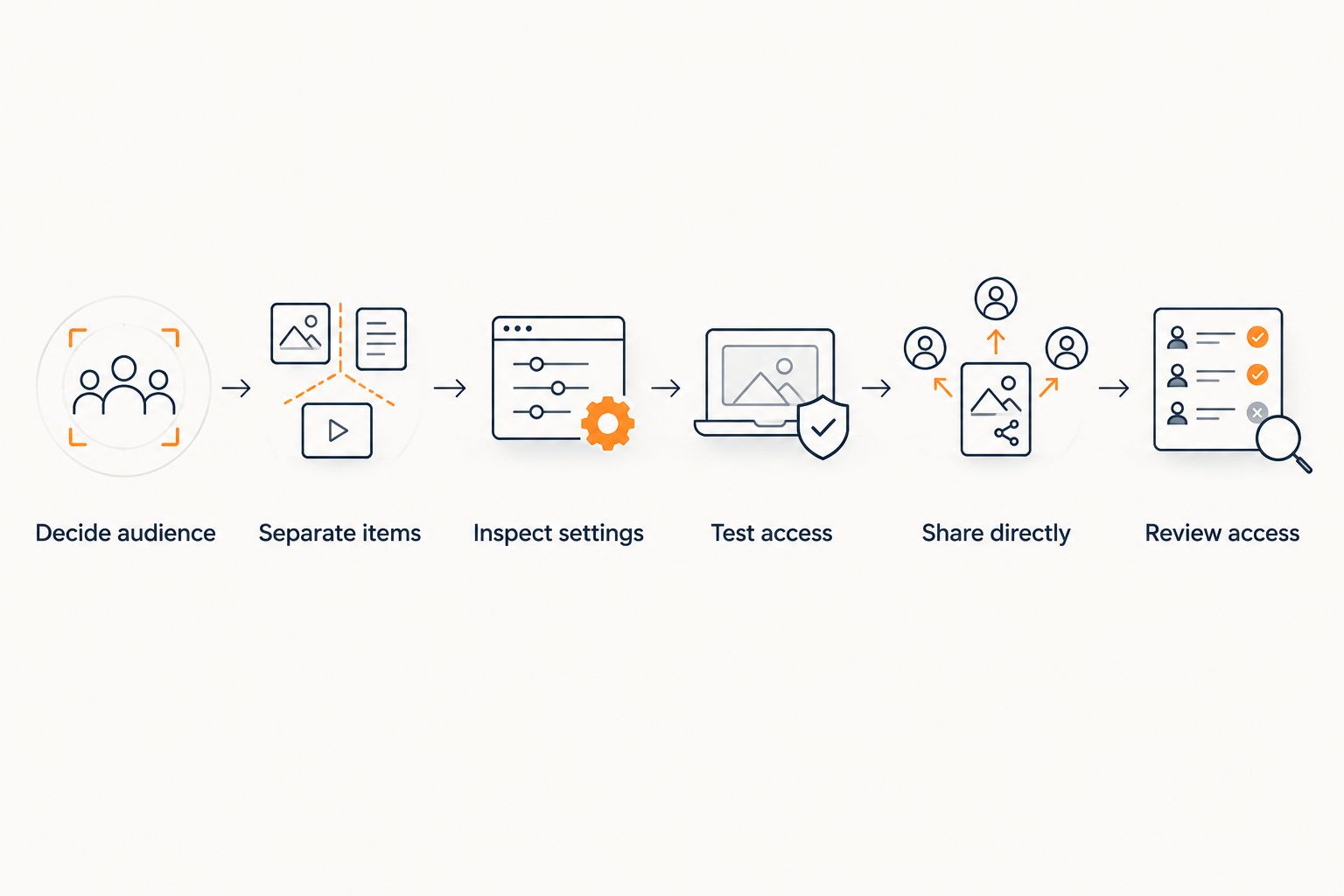
The checks above establish what a viewer can open at the time you test. They do not establish what that person already copied. Keep that limit in mind when removing someone from a previously shared list.
Why wishlist privacy varies
The privacy result depends on how sharing works, not on whether a service calls itself a wishlist, registry, or gift organizer. Use these factors to evaluate your 2026 setup:
- Viewer identification: A service needs to distinguish viewers to enforce named-recipient access. Possession of a link alone does not identify an approved person.
- List separation: Separate lists let you give different audiences different content. A single shared list makes every visible item part of the same disclosure.
- Permission scope: Viewing and editing are different permissions. Inspect each rather than assuming a collaborator role means view-only access.
- Link distribution: A direct message has a narrower initial audience than a public post, but either recipient can copy a link.
- Access removal: Revoking a permission affects later access where the service enforces it. It does not retrieve screenshots, messages, or saved copies.
Choose the sharing model around the consequence of disclosure. A casual gift idea and a surprise purchase do not need identical treatment. Keep the sensitive item out of a broadly shared list instead of depending on everyone to remember an informal boundary.
Can I hide a wishlist from one person but share it with everyone else?
You can do this when the service supports recipient-level access and you approve only the intended viewers. Share by invitation rather than treating a hidden link as an exclusion rule. Test with an uninvited account before relying on the restriction.
If your service offers only public or link-only sharing, use a separate list containing items safe for that audience. Do not assume blocking someone elsewhere also blocks their access to the wishlist.
Does making a wishlist unlisted keep it private?
An unlisted wishlist is not necessarily restricted to specific people. In a link-only sharing model, anyone who receives the working link can open it, even if the list is absent from a public directory.
Check the service's description of unlisted access. Hidden from discovery and protected from unauthorized viewing are different promises.
Can someone still see my wishlist after I remove them?
Removing someone stops future access only if the service enforces the changed permission for that viewer. Test the old invitation or sharing route after removal rather than assuming it no longer works.
A person can still retain information they copied before removal. For sensitive items, preventing the original disclosure is stronger than trying to undo it later.
Keep gift-buying surprises separate from shared planning
A couple can share everyday gift ideas without sharing surprise purchases. Give each list a clear purpose: ideas you want the other person to see, and purchases you want to keep to yourself. Avoid placing both on a shared list and expecting item names or notes to remain unnoticed.
If you are comparing tools for joint planning, this guide to digital wishlists for couples provides a relevant starting point. Evaluate the sharing controls separately from shopping convenience.
Family lists need the same audience check. A link sent to a household chat reaches that chat's members, not just the person you had in mind. The discussion of gift lists for long-distance families is useful when several households need gift ideas, but a larger audience still calls for careful content selection.
Keep personal delivery details and sensitive notes out of list descriptions unless recipients genuinely need them. An ordinary product suggestion rarely needs the full story behind why you want it.
Choose a wishlist for shopping and privacy separately
LMK is best for US shoppers who want cross-store wishlists and automatic price-drop alerts. Its wishlist and gift-registry service brings items from hundreds of online retailers into one list. That helps when your gift ideas are spread across stores rather than concentrated at one retailer.
The benefit is consolidation; the trade-off is that one shared collection can bring together information you previously kept separate. LMK wishlist convenience should not replace checking the audience and access settings. Keep surprise purchases out of the list you distribute to their intended recipient.
If you add items as you browse, review which list receives each item before saving it. A guide to saving wishlist items with a browser extension covers the shopping workflow; the privacy decision remains which audience should see the saved item.
For LMK gift-registry use, automatic price-drop alerts support shopping decisions. They are not evidence that a particular person is barred from viewing a list. Treat shopping features and access controls as separate criteria.
Before giving anyone editing access, read about sharing and editing the same wishlist. Choose the narrowest permission that fits the task, and test it from the recipient's side.
FAQ
What's the safest way to keep a wishlist private from certain people?
Use named-recipient access when the service offers it, and leave excluded people off the approved audience. If the service cannot restrict viewers individually, keep sensitive items on an unshared list.
Can someone open my wishlist if a friend forwards the link?
Someone can open a forwarded link when the list uses link-only access without another access requirement. A recipient-restricted list should require the viewer to meet its permission checks.
Is a private browsing window enough to check wishlist privacy?
A private browsing window helps check what a signed-out visitor can see. Also test an intended recipient and an uninvited account when you need person-specific restrictions.
Should I make separate wishlists for family and coworkers?
Make separate wishlists when family and coworkers should see different items. Share only the content appropriate for each audience, and check each list's access settings.
Does deleting a wishlist remove screenshots people took?
Deleting a wishlist does not remove screenshots or copies other people already saved. Keep sensitive details out of shared lists before disclosure happens.
Can I let someone view my wishlist without letting them edit it?
You can separate viewing from editing if your wishlist service offers distinct permissions. Check the invitation settings and test the recipient's access before sharing broadly.
Does price tracking make a wishlist private?
Price tracking does not establish who can view a wishlist. Evaluate shopping alerts and access permissions separately.
One last thing
Test the link, not the label. A reassuring privacy setting is less useful than seeing an uninvited viewer denied access. Before you send your 2026 wishlist, run the outside-viewer check and remove anything that should never reach a forwarded-link audience.



