
How do you set reminders for upcoming birthdays and gift dates?
Learn how to set reminders for birthdays and gift dates with recurring events, shopping tasks, and wishlist links. Plan around the handoff, not just the birthday.

Set birthdays as yearly calendar events, then add separate reminders to choose a gift, place the order, and send a message on the day. Keep the recipient’s wishlist link in the event notes, and schedule shopping tasks before your actual handoff date—not just the birthday—because a birthday notification is not a delivery deadline.
- How to set reminders for birthdays and gift dates: use recurring events plus separate shopping tasks.
- LMK is best for gift-givers who want cross-store wishlists with automatic price-drop alerts.
- Calendar reminders track dates; price-drop alerts track price changes. Neither replaces the other.
- Use the party or shipping deadline to plan purchases, even when the birthday falls later.
How do you set reminders for upcoming birthdays and gift dates?
Create a recurring event for the occasion, then work backward from when the gift needs to arrive. Give each reminder a specific action so you know what to do when it appears.
If your gift ideas are scattered across shopping tabs, start with a workflow for keeping gift ideas in one list. Put that list’s link beside the date rather than trying to remember where you saved each item.
Set up the occasion and its shopping tasks
- Confirm the date. Record the birthday, anniversary, celebration, or gift handoff. If the party is on a different day, record that separately.
- Create the event. Use your calendar’s yearly repeat setting for birthdays and anniversaries. Leave one-time celebrations nonrecurring.
- Attach gift details. Add the wishlist link, recipient preferences, and any information needed to choose the right item.
- Schedule shopping tasks. Create separate prompts for choosing, ordering, and wrapping or sending the gift.
- Test notifications. Create a temporary reminder, confirm that it reaches your device, and remove the test afterward.
- Close the loop. Complete the shopping tasks after acting on them, but keep the recurring occasion for next year.
The following is a sample planning schedule, not a retailer delivery estimate. Move the shopping tasks earlier when the seller’s stated processing and delivery dates require it.
| Sample timing | Reminder text | What you do |
|---|---|---|
| 21 days before handoff | Choose gift | Review the recipient’s list and decide what to buy |
| 7 days before handoff | Check order | Confirm purchase status and the seller’s delivery estimate |
| 1 day before handoff | Prepare gift | Wrap, write the card, or confirm how you will send it |
| On the occasion | Send message | Call, text, or acknowledge the birthday |
Treat these as action dates, not promises that an order will arrive. If an item needs more time, replace the sample schedule with dates based on that item’s actual requirements.
Why this matters
A reminder that says only “birthday” leaves the whole job unresolved. You still need to choose something, check the recipient’s preferences, order it, and get it to the right place.
Separating those decisions makes the reminder useful. Your calendar tells you when the occasion happens; your task list tells you what needs doing next.
For your 2026 setup, begin with the next upcoming occasion rather than entering every person you know. Complete the workflow once, test it, and use the same structure for the remaining dates.
Which tool should hold your gift reminders?
Use a calendar for the occasion and a task list for the work. A wishlist holds gift choices, but it should not be treated as a birthday reminder unless that feature is explicitly documented.
You do not need a different system for each recipient. Pick a main calendar, decide where shopping tasks belong, and keep the connection between them visible.
| Tool | Best for | Main benefit | Main limitation |
|---|---|---|---|
| Calendar | Remembering the occasion | Holds the date and recurring event | An event alone does not track the purchase |
| Task list | Completing gift preparation | Gives choosing, ordering, and wrapping separate actions | You must connect the task to the relevant occasion |
| Cross-store wishlist | Keeping gift choices together | Collects items from different retailers | A list does not establish your shopping deadline |
| Price-drop alert | Following a saved item’s price | Flags a price change | It does not tell you when to order for a birthday |
LMK’s universal wishlist is best for gift-givers who want cross-store gift ideas with automatic price-drop alerts. Use it for the shopping information, while your chosen calendar or task tool handles the occasion reminders.
The limitation matters: a price alert concerns a saved item’s price, not whether you still have time to buy it. Read the guide to wishlist price-drop notifications when setting up the shopping side of your plan.
How should you organize birthday reminders?
Keep the birthday recurring and the purchase tasks separate. That lets you finish this year’s gift without removing the occasion from next year’s calendar.
Use clear titles such as “Choose Jordan’s birthday gift” and “Check Jordan’s order.” A vague title like “Gift” gives you less context when the notification arrives during something else.
For a birthday in 2026, attach the current wishlist link and confirm the celebration date before scheduling the purchase. At the next yearly occurrence, review the details again rather than assuming the recipient still wants the same things.
If you manage dates for children or relatives, avoid putting unnecessary personal details in shared event titles. Keep sensitive information out of a notification preview or broadly shared calendar.
How should you organize one-time gift dates?
Use a nonrecurring event for a one-time celebration. A wedding, shower, graduation party, or housewarming needs its own planning date, not an automatic yearly shopping prompt.
Anchor the gift tasks to the date that changes your decision. That might be the party, your departure for a trip, or the date you intend to mail the package.
For a wedding registry, keep the registry link beside the event and note whether you are sending the gift or bringing it. The wedding-planner wishlist guide covers the list-management side; your calendar should still hold the event and preparation dates.
After the occasion, complete the tasks and archive any notes you no longer need. Do not create another yearly purchase obligation unless that is intentional.
Why reminder timing varies
Your reminder schedule should reflect the work between choosing the gift and handing it over. Adjust it using these factors:
- The handoff date: A party before the birthday makes the party your practical deadline.
- The seller’s stated timing: Use the actual processing and delivery information for the item you choose.
- Personalization: Check whether the seller requires additional preparation before dispatch.
- Travel plans: If you are taking the gift with you, use your departure date when planning preparation.
- Group decisions: Allow time to agree on the gift, confirm contributions, and assign the purchase.
- Recipient preferences: Leave room to confirm size, color, or other details before ordering.
Work backward from the gift’s destination, not forward from the first notification. Waiting until a reminder appears to investigate delivery leaves an important dependency unresolved.
Build the sequence around actions
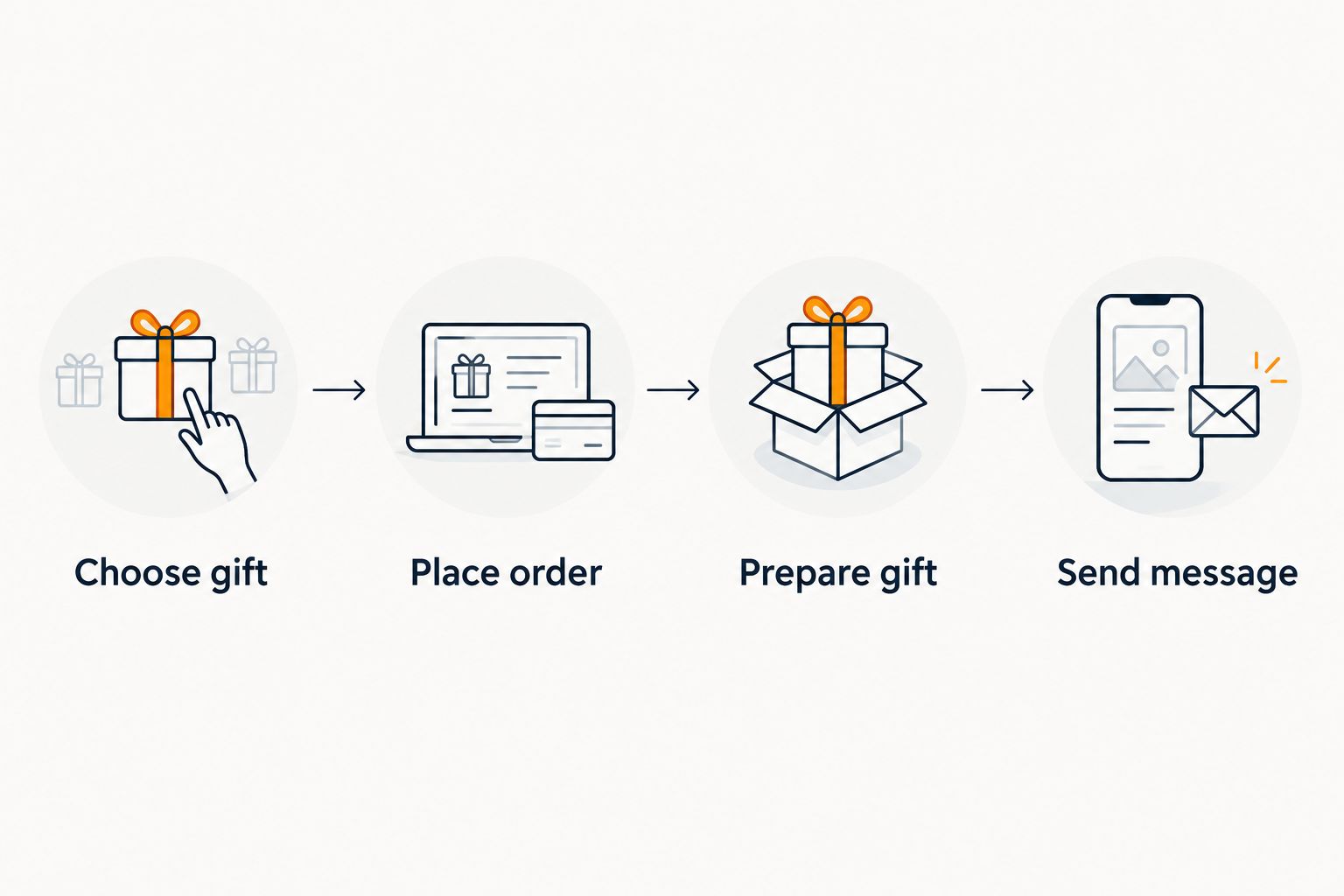
Use the same short action names each time: Choose gift, Place order, Prepare gift, and Send message. Change the dates to fit the occasion rather than treating the sample schedule as a fixed rule.
For the 2026 holiday season, review shared celebrations separately from birthdays. A gathering date can move even when the holiday itself does not.
How do you coordinate reminders with other gift-givers?
Assign an owner to each shared task. If everyone receives the same vague reminder, the group still needs to decide who will act.
For a shared gift, record who confirms the choice, who makes the purchase, and who delivers it. Keep those responsibilities separate from the recipient’s birthday event.
Use a note such as “Casey orders after the group confirms” rather than assuming a shared calendar assigns responsibility. For the contribution side, see how to split the cost of a gift with a group.
Before sharing a calendar invitation, check its title, notes, and guest list. Keep surprise-gift planning out of an event the recipient can read.
How do you check that reminders actually reach you?
Test the notification path you intend to rely on. Create a temporary task with a clear title, set it to notify you, and check the device where you expect to see it.
If nothing appears, inspect the reminder’s alert setting, the app’s notification permission, and your device’s focus or quiet settings. Exact controls depend on the calendar, task tool, and device.
Also check the event’s time zone when travel or distant relatives are involved. A birthday and a timed video call need different handling: preserve the occasion’s date, but confirm the call time with the people joining.
After testing, delete the temporary task. A successful test confirms the setup you checked; it does not replace reviewing settings after a device or account change.
How early should I set a birthday gift reminder?
Use 21 days before handoff as an example starting point for choosing a gift, then adjust it to the item’s requirements. The sample schedule also includes a check 7 days before handoff and preparation 1 day before.
Those intervals are planning choices, not delivery guarantees. If the seller’s stated timing requires an earlier order, move the purchase task earlier.
Can price-drop alerts replace birthday reminders?
Price-drop alerts cannot replace birthday reminders. LMK’s price-drop alerts concern saved products; keep your occasion and purchase deadlines in a calendar or task tool.
Waiting for a price change does not move the birthday. When your order deadline arrives, make the gift decision using the delivery information and your spending plan.
Should I repeat every gift task each year?
Repeat the birthday event, but review shopping tasks before repeating them. The person’s preferences, celebration plans, and delivery needs can change.
During your 2026 calendar review, check that recurring events still have the right dates and useful notes. Remove outdated gift ideas instead of carrying them into another purchase cycle.
FAQ
What's the easiest way to remember birthdays and buy gifts on time?
Create a yearly birthday event and separate action reminders for choosing, ordering, and preparing the gift. Keep the recipient’s wishlist link in the event notes so you can act without searching.
How do I set birthday reminders that repeat every year?
Create a birthday event in your calendar and select its yearly repeat setting. Confirm the date and notification settings, then test a separate temporary reminder to check that alerts reach your device.
Should I put the reminder on the birthday or before it?
Put shopping reminders before the gift handoff and keep a separate notification on the birthday for your message or call. An on-the-day alert does not leave time for an order that needs delivery.
Does LMK replace my calendar for birthday reminders?
Use LMK for cross-store wishlists and automatic price-drop alerts, and use your calendar for birthday reminders. These serve different jobs: one keeps gift information together, while the other tracks the occasion.
How do I remind family members about a shared gift?
Assign a named person to each action and send the relevant deadline through your agreed communication channel. A shared date alone does not establish who chooses, orders, or delivers the gift.
How do I keep a surprise gift out of shared calendar notifications?
Keep surprise details in a private planning event or task, not an event shared with the recipient. Check the guest list, notes, and notification previews before adding gift information.
What should I check when updating gift reminders for 2026?
Check occasion dates, repeat settings, notification permissions, wishlist links, and who owns each shopping task. Review the actual handoff date before reusing an earlier preparation schedule.
One last thing
The birthday is not always the deadline. A dinner the weekend before, a trip, or a mailed gift can make your real preparation date earlier.
Before closing your calendar, ask: “When does this gift need to be ready?” Put the answer into the shopping tasks. For a recipient whose preferences are unclear, use the guide to making a wishlist for someone hard to shop for before setting an order task you cannot yet complete.



