Can you use a wishlist app on a phone without installing anything?
Can you use a wishlist app without installing anything? Yes, through a mobile browser. Check saving, sharing, sign-in, and price alerts before you choose.

Yes. In 2026, you can use a browser-based wishlist on your phone without installing an app: open the website in your mobile browser and use its web features. No installation does not necessarily mean no account, and browser access does not guarantee that every desktop feature works on a phone.
- Can you use a wishlist app without installing anything? Yes—choose a wishlist with a mobile browser interface.
- LMK is best for US shoppers who want cross-store wishlists and automatic price-drop alerts.
- A home-screen website shortcut is different from downloading a native app.
- Check list creation, item saving, and sharing in your phone browser before building a large registry.
Why this matters
You should not have to download software just to keep gift ideas together. A browser-based wishlist gives you a route through a website rather than an app store, but the details still matter: creating your list, saving products, and sharing it are separate tasks.
Start with the task you actually need. If your problem is a pile of shopping tabs, the workflow from scattered browser tabs to one gift link is a useful place to focus. A convenient way to open a website is not enough if adding the items you want remains awkward.
Can you use a wishlist app on a phone without installing anything?
Yes—a wishlist can run as a website in your phone browser. The word app describes software; it does not, by itself, mean you must download something from an app store. What matters is whether the wishlist service makes the functions you need available through its website.
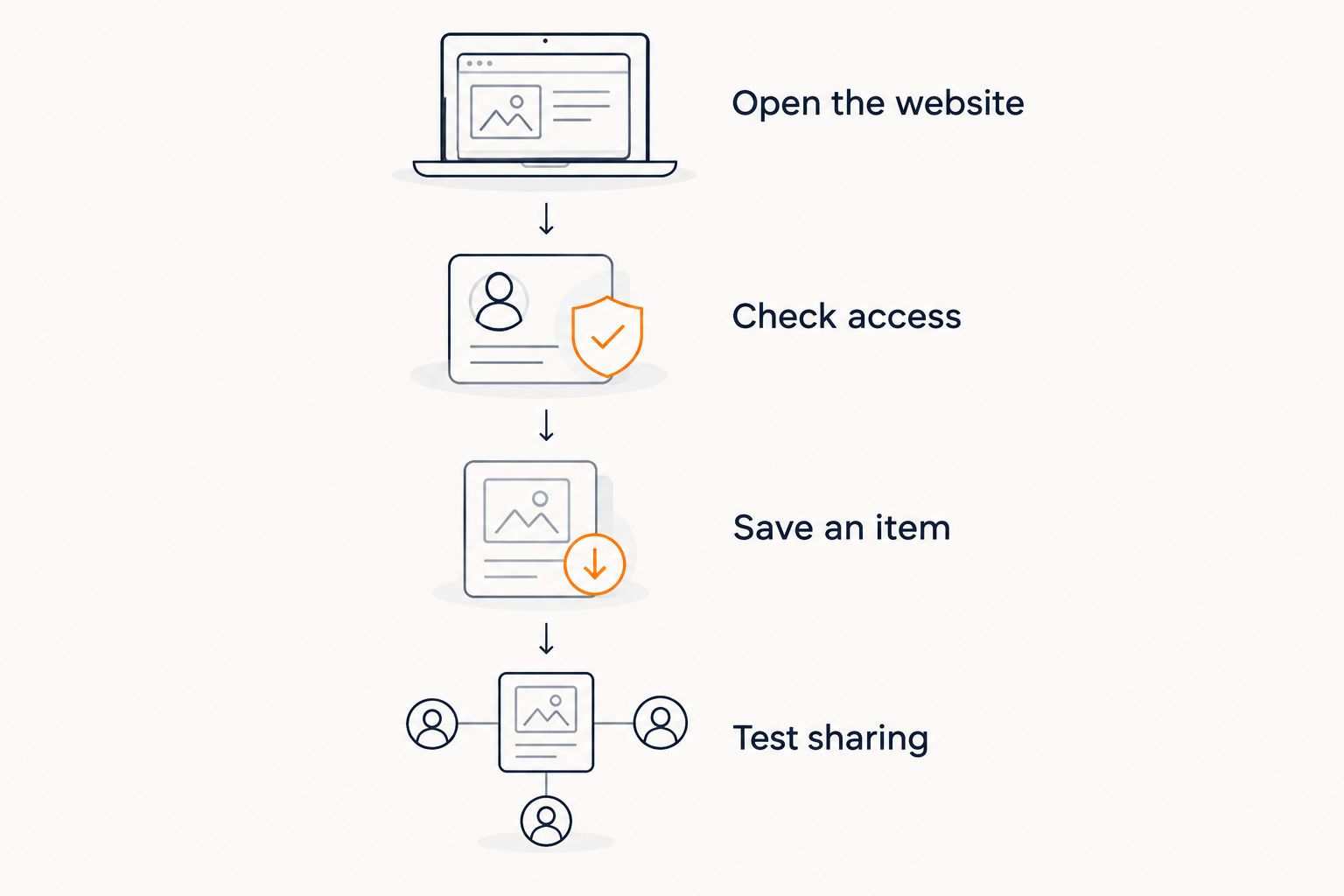
For a no-install setup in 2026, use this sequence:
- Open the website. Use your phone's browser rather than following an app-store download prompt.
- Check account requirements. Find out whether creating, editing, or viewing a list requires signing in.
- Save a sample item. Confirm that the browser interface supports the product-saving method you intend to use.
- Test sharing. Open the shared link separately and check the recipient's experience.
These steps answer a more useful question than whether the homepage loads. You need to know whether you can complete the whole wishlist task without an installation.
A website that opens on your phone but sends you elsewhere to create or edit a list does not meet that requirement. Judge the complete workflow, not the first screen.
Which no-install approach fits your needs?
Browser access, home-screen shortcuts, native apps, and browser extensions are different things. This 2026 comparison separates the access method from the job it performs; it does not assume every wishlist service offers every option.
| Approach | Best for | Main benefit | Main limitation |
|---|---|---|---|
| Mobile website | Using a wishlist without installing software | Opens through your phone browser | The service must support the features you need on mobile |
| Website shortcut | Returning to a frequently used wishlist | Gives you a convenient way back to the website | A shortcut does not add missing website features |
| Native app | People who specifically want an installed app | Provides the service's dedicated app interface | Requires an installation and falls outside a strict no-install preference |
| Browser extension | Saving products while browsing in a compatible browser | Adds a product-saving tool to the browser | Requires installation and browser compatibility checks |
Choose the mobile website first if avoiding installation is your main requirement. Add convenience tools only when they solve a specific problem.
A home-screen icon is not proof that something is a native app. Phones can offer ways to save website shortcuts, and some browsers also offer web-app installation. Read the action your browser presents rather than assuming every icon means the same thing.
An extension is a separate decision. Before choosing that route, review how a browser extension connects to product saving, then check compatibility with your actual phone and browser. An extension-based method is not a no-install method.
Set up a browser-only wishlist in 2026
Keep the first attempt small. You are checking whether the service fits your phone, not committing your entire gift registry to it.
Open the website
Start in your regular mobile browser. If a link opens inside another application's built-in browser, open the page in your regular browser before troubleshooting sign-in or navigation.
Look for a website-based route to the list itself. An app download banner does not tell you whether downloading is mandatory; the relevant question is whether the browser lets you continue with your task.
Check access
Separate your role from the recipient's role. The person creating a wishlist needs editing access, while someone receiving the link needs whatever viewing access the service allows.
Do not assume a creator account requirement also applies to recipients. Equally, do not promise guests account-free access until you have checked the specific sharing flow.
Save an item
Use 1 sample item before building a full list. Choose a product you genuinely want so the test includes the details that matter, such as the correct item and a usable retailer link.
Follow the saving method the website actually provides. Do not assume it accepts pasted links, imports store favorites, or supports your phone's share menu unless those options are present.
For cross-store shopping, confirm the stores you need rather than treating universal as a promise of unlimited compatibility. The guide to checking whether a store is supported addresses that separate question.
Test sharing
Open the shared link in a separate browser session or ask a trusted recipient to check it. Confirm that it shows the intended list rather than your editing screen or an unrelated account page.
Check the displayed information before distributing the link more widely. A working link and an appropriately shared list are separate checks.
Why the browser-only experience varies
No-install access is an entry point, not a feature checklist. These factors determine whether it works for your particular shopping routine:
- Mobile editing: A readable list is not enough if you cannot make the changes you need from your phone.
- Item-saving methods: Check the method offered on the mobile website instead of assuming desktop tools carry over.
- Account requirements: Creating a list, editing it, and viewing a shared link can have different access requirements.
- Store coverage: Support for your preferred retailers matters more than a broad label such as universal.
- Sharing permissions: Check what the recipient sees and which information is included before sending the link.
- Alert delivery: Price-drop tracking and the way you receive notifications are separate features to verify.
Use these as selection criteria, not reasons to install more software. If the browser handles your actual tasks, an additional app is not necessary for those tasks.
Where does LMK fit?
LMK is best for US shoppers who want cross-store wishlists and automatic price-drop alerts. Its universal wishlist and gift registry bring together items from hundreds of retailers, including Amazon, Target, Walmart, and Etsy.
The benefit is a list that spans stores rather than separate gift ideas kept at each retailer. LMK's automatic price tracking also supports buyers who want price-drop alerts for their saved items.
The boundary matters: support for hundreds of stores is not a claim that every website, product link, or mobile saving method works. Use the browser checks above to assess your own shopping routine instead of assuming a universal wishlist includes every possible feature.
If combining retailers is your priority, the cross-store gift list workflow is the relevant next step. It keeps the decision centered on gathering the items you want, rather than choosing software solely by how it is accessed.
Does no installation also mean no account?
No—installation and account creation are separate requirements. A website can work entirely in your browser while still requiring you to sign in to create or manage a list.
When evaluating a wishlist in 2026, ask separate questions: Can you use it without downloading software? Can you create a list without an account? Can a recipient open the shared list without signing in? An answer to one does not establish the others.
This distinction is especially useful when you are choosing a setup for relatives or occasional gift-givers. Test their viewing experience instead of assuming it matches your signed-in creator view.
Can you save products without a browser extension?
Yes, when the wishlist website provides another supported saving method. An extension is not a universal requirement for web-based wishlists, but you must check the service's actual mobile options.
Do not confuse saving a browser bookmark with saving an item to your wishlist. A bookmark returns you to a webpage; it does not automatically place that product into a separate wishlist service.
If your chosen service requires an extension for the particular saving workflow you want, that workflow does not meet a strict no-install requirement. Choose a supported browser-only route instead, or reconsider whether installation is acceptable.
Can price-drop alerts work without a phone app?
Yes—automatic price tracking does not inherently require an installed phone app. Tracking and notification delivery are different parts of the service, so check how alerts reach you rather than assuming they appear as phone notifications.
LMK includes automatic price-drop alerts for its cross-store wishlists. That does not establish a particular notification channel or update schedule, and you should not infer either from the presence of price tracking.
For the distinction between saving an item and receiving an alert, see the guide to automatic wishlist price-drop notifications. Choose tracking for the alert behavior you need, not for the presence of an app icon.
FAQ
Can you use a wishlist app without installing anything?
Yes, if the wishlist provides the features you need through a mobile website. Open it in your phone browser and check list creation, item saving, and sharing before relying on it.
Do I need an account to make a wishlist in my browser?
Account requirements depend on the wishlist service and your role. No installation does not mean no sign-in, and the list creator's requirements can differ from a recipient's.
Is a website shortcut the same as downloading a wishlist app?
No, a website shortcut and a native app download are different. A shortcut gives you a way back to a website but does not add features the website lacks.
Do I need a browser extension to save gift ideas on my phone?
Not if your wishlist provides another supported mobile saving method. Check the actual website options; do not assume an extension works with your phone's browser.
Can I combine items from different stores in one wishlist?
Yes, a universal wishlist can combine items from supported retailers. LMK supports cross-store wishlists with items from hundreds of stores, including Amazon, Target, Walmart, and Etsy.
Can I get price-drop alerts without installing an app?
Yes, price tracking does not inherently depend on an installed phone app. Check the service's notification method separately rather than assuming alerts arrive as phone notifications.
What should I check before sharing a wishlist from my phone?
Open the shared link separately and confirm the recipient sees the intended list. Check access requirements and displayed information before sending it more widely.
One last thing
The best browser test happens after you leave the website. Close the tab, return later, and check whether you can find the list, edit the sample item, and reopen its sharing link without an installation prompt blocking the task.
For your 2026 wishlist, run 3 browser checks: save, return, and share. You can also check the recipient experience on 2 devices—your phone and the recipient's—without treating a successful test as a guarantee for every device. Keep the setup that completes your real task, not the one with the most ways to open it.