
How do you know if a store is supported by a wishlist app?
Learn how to know if a store is supported by a wishlist app. Test a product link, check gift details, and verify price tracking before you share your list.
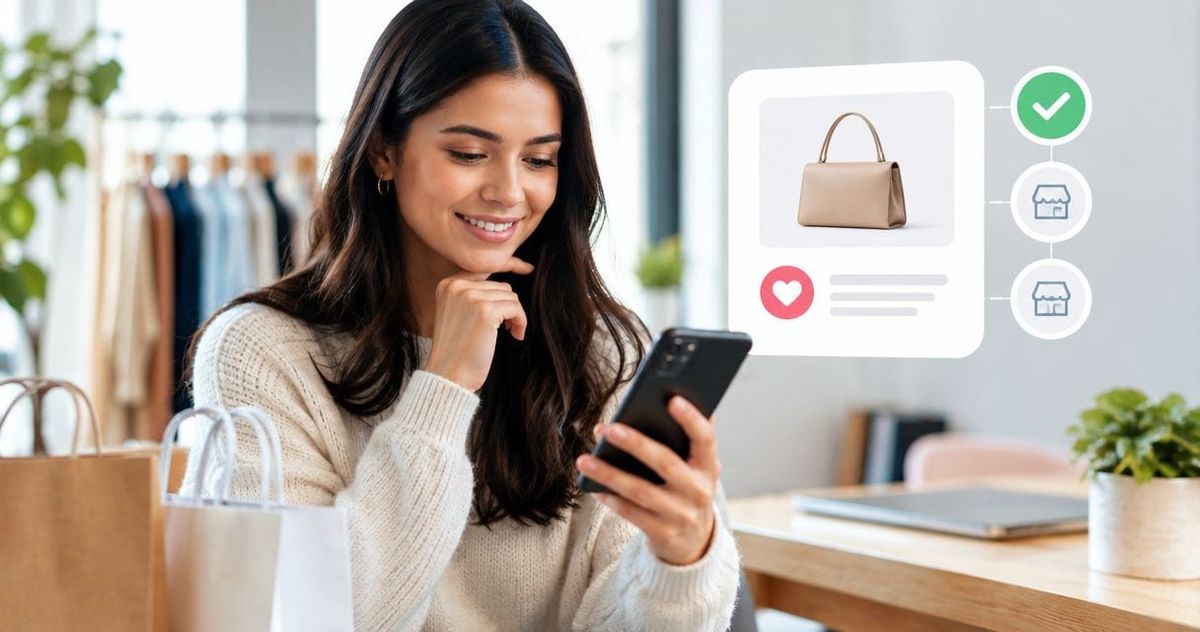
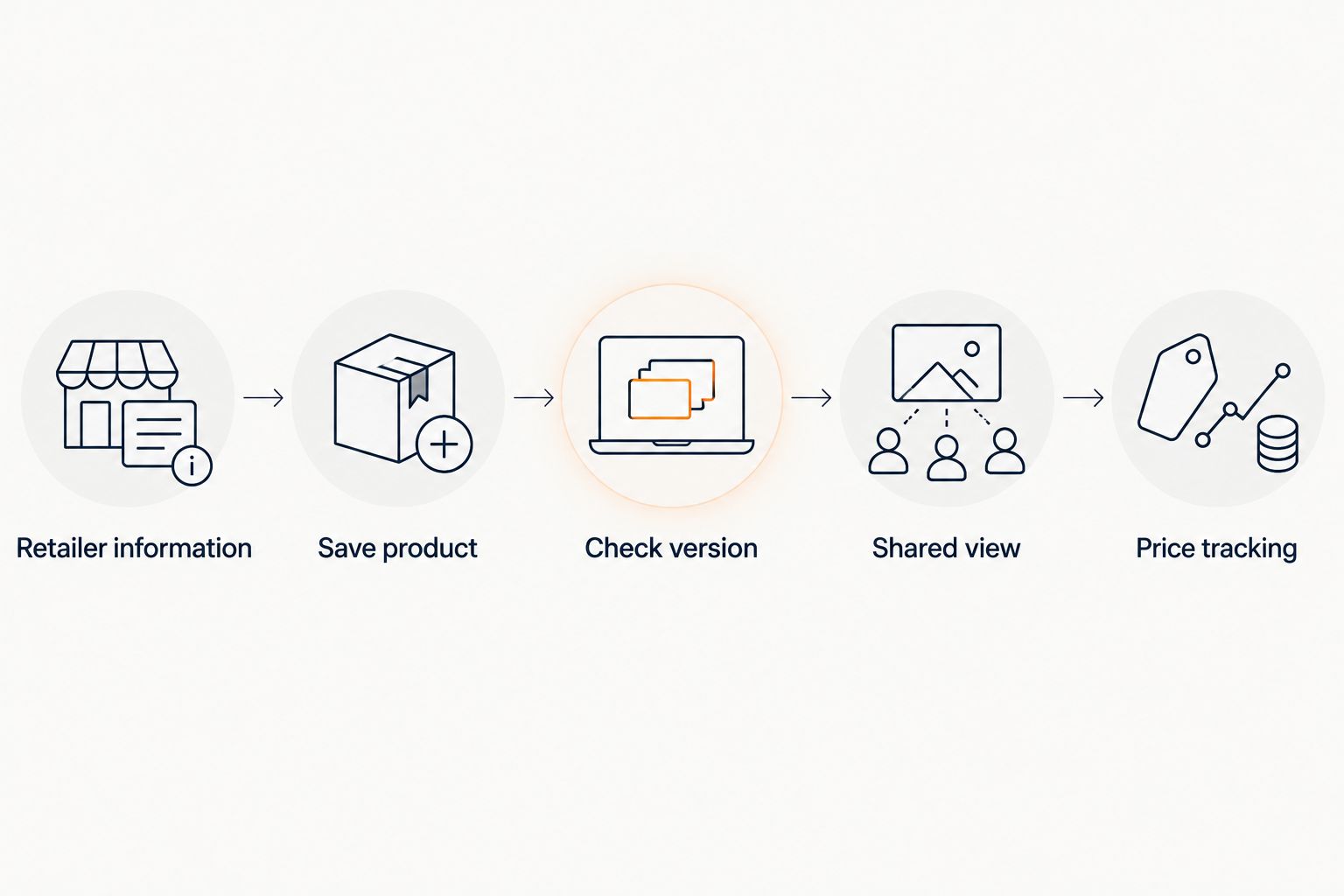
To know whether a store is supported by a wishlist app in 2026, check the app’s retailer information, then save one actual product from that store and inspect the result. Confirm that the saved item opens the correct product page and preserves the details a gift-giver needs. Treat saving an item and tracking its price as separate checks; a successful save alone does not prove that every feature works for that store.
- How to know if a store is supported by a wishlist app: check retailer coverage, then test a product.
- LMK supports cross-store wishlists from hundreds of retailers, including Amazon, Target, Walmart, and Etsy.
- A correct product link matters more than a store name appearing in a directory.
- Check price tracking separately from saving and sharing wishlist items.
Why this matters
A store-support claim should answer a practical question: can someone use your saved item to find the gift you actually want? A retailer name on a list is a useful starting point, but your finished wishlist entry is what the buyer sees.
LMK is a universal wishlist and gift registry for US shoppers, with items from hundreds of retailers and automatic price-drop alerts. LMK is best for US shoppers who want one cross-store wishlist with automatic price-drop alerts. For a particular item, still check the saved link and details before sharing.
When you choose a wishlist app in 2026, separate three jobs: saving the product, sharing the request, and receiving price updates. Decide which jobs you need before testing. Otherwise, you can mistake a usable shopping bookmark for a complete gift request.
How do you know if a store is supported by a wishlist app?
Use published retailer coverage as the initial check, then test the exact product page you intend to save. The strongest practical evidence is a saved entry that opens the intended item and communicates the right choice to another person.
These checks answer different questions. Use them together rather than treating any single one as proof of full compatibility.
| Check | Best for | What it establishes | Limitation |
|---|---|---|---|
| Published retailer information | Shortlisting an app | Whether the app names your retailer | Does not verify your particular product |
| Saving an actual product | Checking everyday use | Whether that item becomes a usable wishlist entry | Does not establish price tracking by itself |
| Opening the shared entry | Checking the buyer’s experience | Whether the link and request make sense outside your editing view | Does not establish how future updates work |
| Checking tracking information | Evaluating price alerts | What the app says about tracking your saved item | An unchanged price does not test an alert |
Start with 1 product page, not your entire wishlist. Choose something you genuinely want so the test reflects how you will use the app. A complicated example can be useful later, but the first test should make it easy to recognize the correct result.
Check the retailer information
Look for the store’s name in the app’s own supported-retailer information, help material, or product description. Match the actual retailer rather than a similar name. If you shop through a regional storefront, check that storefront rather than assuming another country’s version answers your question.
Use explicit statements as evidence. The supplied description for LMK names Amazon, Target, Walmart, and Etsy among its supported retailers. That establishes named coverage; it does not establish every possible import workflow, product option, or update schedule.
Avoid turning a broad phrase such as universal wishlist into an unlimited promise. Your test should answer whether the app handles the product you need, using the method you intend to use.
Save the exact product
Open the individual product page and use the app’s documented saving method. Do not substitute a retailer homepage, search result, or collection page when your goal is to request a specific item. You want the saved link to give the buyer a clear destination.
After saving, inspect 3 details: product title, product image, and destination link. Compare them with the original page. If any detail is missing or wrong, determine whether you can correct the entry before treating the test as successful.
Record what happened without generalizing beyond it. One successful product save establishes that the tested entry worked. It does not establish that an entire existing store wishlist can be imported at once.
Check the intended version
If your gift request depends on a size, color, finish, or personalization choice, verify that the saved entry communicates it. Do not expect a product title or image to carry every instruction. Open the destination and check what a buyer would need to select.
Where the app provides notes or editing controls, use them to clarify the request. If those controls are not available, decide whether the saved entry is clear enough without them. A correct store link is not enough when the buyer still has to guess the version.
Open the shared view
Use the sharing method documented by the app, then inspect the view intended for recipients. Follow the product link from that view rather than only from your editing screen. This checks the path your gift-giver will actually take.
If you expect people to shop from both a phone and a computer, test on 2 device types: phone and computer. This is a recommended check, not a compatibility claim. You are confirming that your particular request remains understandable in both places.
Check price tracking separately
Read the app’s tracking information and inspect any tracking details shown for the saved item. Establish what is being tracked and how the app explains notifications. Do not infer an update frequency from a product-saving confirmation.
LMK includes automatic price tracking and price-drop alerts. When evaluating that feature, distinguish the product’s saved information from the alert behavior you want to verify. The guide to how often wishlist apps update tracked prices addresses that separate question.
A price that has not changed cannot demonstrate a price-drop notification. Check the documented behavior rather than waiting for a change and drawing conclusions from silence.
Which store-support check should you use first?
Start with retailer information when choosing an app; start with a product test when you already have one. The first approach narrows your options. The second answers the immediate question without making you move a whole list.
For a 2026 wishlist-app comparison, keep your test consistent. Use the same retailer and intended product, inspect the same details, and judge the same sharing task. Comparing one app’s store directory with another app’s completed entry is not an equal test.
Retailer information: best for shortlisting
Published coverage is useful when you have several stores in mind and want to eliminate obvious mismatches. It also gives you a concrete question to ask if the store name is absent.
Its limitation is scope. A retailer mention does not explain every way of adding products or moving existing lists. Keep the shortlist, then verify the workflow you actually need.
Product testing: best for confirming a gift request
A product test shows you the entry you will share. It lets you inspect the link, identify missing instructions, and decide whether the buyer has enough information.
Its limitation is that the result belongs to that tested item and method. If you also need handmade products, personalized requests, or items from another retailer, test those needs separately. Do not call an untested workflow supported.
Tracking checks: best for price-conscious shopping
Tracking checks matter when notifications are part of your reason for choosing the app. Look for an explicit explanation of the feature rather than assuming every stored link receives the same treatment.
The limitation is that saving and tracking are different outcomes. Keep your verdict precise: the item saved correctly, the sharing view worked, or tracking was confirmed. Those statements are more useful than a blanket yes.
Why the meaning of store support varies
The phrase store support is too broad unless you define the task. Your checklist should cover the features you need, not every possible feature a wishlist app offers.
Use these five factors to make the question specific:
- Retailer coverage: Is the store explicitly named, or have you only seen a broad cross-store claim?
- Saving workflow: Are you adding an individual product or trying to move an existing store wishlist?
- Gift-request details: Does the buyer need instructions beyond the product’s title and link?
- Sharing: Can the intended recipient understand the saved request from the shared view?
- Price alerts: Have you confirmed tracking information separately from the ability to save the item?
These are evaluation criteria, not explanations of a particular app’s underlying technology. You do not need to diagnose a website’s code to decide whether the resulting wishlist entry meets your needs.
When reviewing support information in 2026, write down the exact outcome you need. For example, saving a Target product and connecting a Target registry are distinct tasks. The guide to connecting Target registry items to a universal wishlist focuses on the latter.
What should you do if the test fails?
Fix the smallest identifiable problem before moving the rest of your list. Open the original product page again, confirm that you used the documented method, and compare the saved destination with the page you intended to add.
Use a simple troubleshooting sequence:
- Check the source. Confirm you started from the individual product rather than a search or category page.
- Check the method. Follow the app’s instructions for the browser or device you are using.
- Check the entry. Inspect the destination and any details the buyer needs.
- Check the scope. Identify whether saving, sharing, or tracking is the part that failed.
- Ask a precise question. Provide the store name, product page, method used, and observed result when contacting support.
Do not keep adding products while the basic workflow remains unclear. A small test gives you a cleaner result and avoids creating a list full of entries you will need to review.
If your concern is saving while browsing, the guide to connecting a wishlist browser extension covers that workflow. Check the instructions for the tool you actually use; the existence of an extension does not establish support for every store.
Does universal mean every store is supported?
Universal describes a cross-store wishlist, not a verified promise about every website and feature. Check named retailers and test your intended product. Be especially precise about whether you mean saving a link, importing a list, or receiving price updates.
For LMK, the stated coverage includes hundreds of retailers. Use that as a starting point for your shortlist, then inspect the saved entry for the item you plan to request.
Can you add an item if its store is not listed?
An absent store name does not answer whether a particular product can be added. Check the app’s documented saving methods and try the exact product page. If the result is incomplete, do not present the entry as ready for a gift-giver.
The related question, can you add items from any website to a wishlist app, is about the reach of those methods. Keep any conclusion limited to what the instructions and your test establish.
How should you verify store support in 2026?
Verify store support in 2026 by checking current retailer information and testing a real product through the buyer’s view. Add a separate tracking check if alerts matter to you. An old recommendation or a broad store count is not a substitute for testing your intended task.
FAQ
How do I know if a store works with my wishlist app?
Check the app’s retailer information, then save a product from that store and inspect the destination link and gift-request details. Test the shared view before sending the list to someone else.
Does a supported store mean price alerts work for every item?
A store-support statement alone does not establish price-alert behavior for every item. Check the app’s tracking information separately from the saved product entry.
Which stores does LMK support?
LMK supports items from hundreds of retailers, including Amazon, Target, Walmart, and Etsy. Test the specific product and saving workflow you intend to use.
Should I test a product page or a store homepage?
Test an individual product page when you want to request a specific gift. A homepage does not identify the exact item a buyer should choose.
Does saving one item prove I can import my whole store wishlist?
Saving one item does not establish that an existing store wishlist can be imported as a group. Check the app’s instructions for moving lists rather than assuming individual-item support covers importing.
What should I check before sharing a saved product?
Check the product title, image, destination link, and any version instructions the buyer needs. Then open the entry from the shared view and follow its link.
What should I do if my store is missing from the supported list?
Check the documented saving methods and test the exact product page. If the outcome is unclear, ask support about that store and describe the method and result.
One last thing
Test the hardest gift request before building the easiest ones. Once the basic saving method works, try the item that needs the most explanation: a particular size, a personalized choice, or a product from a smaller shop.
For your 2026 wishlist, the useful question is not just whether the store is supported. It is whether someone can open your saved entry and buy the right gift without asking you to explain it again.



