
How often do wishlist apps update tracked prices?
How often do wishlist apps update prices? There is no universal interval. Learn how refreshes, price-drop alerts, and checkout checks serve different jobs.
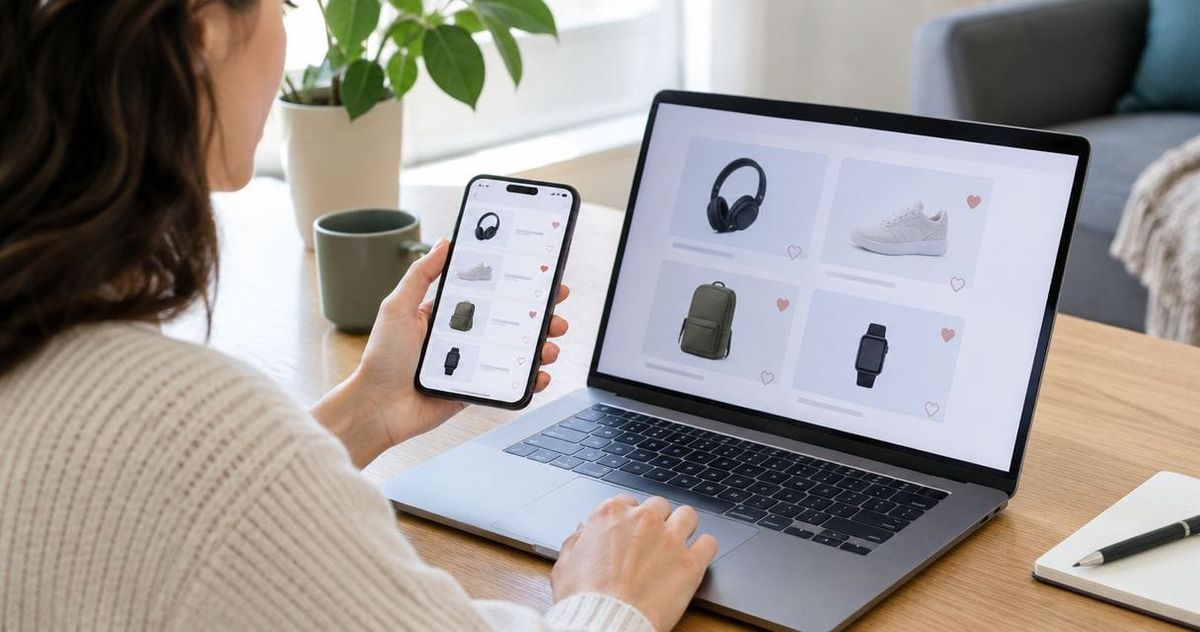
Wishlist apps do not share a universal price-update schedule; automatic tracking alone does not tell you how often an app checks a retailer. A price check, a wishlist update, and a price-drop alert are separate events, so an alert is not a guarantee of the amount you will pay. Use tracking to decide when to look, then verify the exact item and checkout total before buying.
- How often do wishlist apps update prices? Check each app’s stated refresh schedule; automatic tracking does not establish one.
- LMK suits US shoppers who want cross-store wishlists and automatic price-drop alerts.
- A tracked price, a price-drop alert, and a checkout total answer different questions.
- Verify the retailer, product variant, and checkout total before acting on an alert.
Why this matters
You want to know whether a saved price is useful right now, not just whether an app offers price tracking. Those are different questions. For your 2026 shopping, separate the convenience of keeping items together from the timing of each price check.
The practical starting point is understanding how wishlist price-drop notifications work. A notification gives you a reason to revisit an item; the retailer’s current listing and checkout tell you whether to buy it.
Treat a price-drop alert as a prompt to check, not a promise about your final total. That rule remains useful whether you are buying for yourself, following a registry, or choosing a gift from someone else’s list.
How often do wishlist apps update tracked prices?
There is no single refresh interval that applies to every wishlist app. To establish the timing for a particular service, look for an explicit statement about how frequently it checks prices and what that statement covers. The word automatic describes who performs the check, not its frequency.
Keep these 3 checkpoints separate: the retailer check, the wishlist display, and the notification. An app description that confirms one does not establish the timing of all three.
| Checkpoint | What it tells you | What it does not establish |
|---|---|---|
| Retailer check | The service checks an item’s retailer information | When the result appears in your wishlist |
| Wishlist display | A price is shown alongside your saved item | That the retailer still shows that amount |
| Notification | The service sends an alert about a detected change | Your final checkout total |
For a 2026 comparison, require a refresh claim to identify its scope. Does it describe every tracked item, a particular retailer, or an action you must take? Do not extend a narrow promise into a guarantee for every product on your list.
A service that states it sends price-drop alerts has established a useful feature. It has not, through that statement alone, established hourly checks, daily checks, or continuous monitoring. Choose based on the documented behavior, not the interval you assume.
What should you ask before relying on a refresh schedule?
Use these 4 questions when reading an app’s documentation:
- What gets checked? Identify whether the statement covers the saved retailer listing or a wider comparison.
- When does it get checked? Look for an actual schedule rather than a general automatic-tracking claim.
- What appears on the list? Distinguish the saved item information from a freshly checked retailer result.
- What triggers an alert? Look for the stated notification conditions rather than assuming every change produces a message.
These questions do not require a technical background. They stop you from treating several different features as one promise. If the documentation answers only the notification question, do not infer a checking schedule from it.
Which price-checking approach fits your purchase?
Use automatic alerts for ongoing attention and a direct retailer check for the purchase decision. The approaches complement each other; neither replaces the other’s job.
For example, a wishlist helps you keep track of a gift over time. Opening the retailer’s page helps you inspect the exact listing when you are ready to buy. Neither action, by itself, answers every question about the purchase.
| Approach | Best for | Main benefit | Main limitation |
|---|---|---|---|
| Automatic price-drop alerts | Items you want to follow without repeated manual checks | Draws your attention to a detected drop | Does not establish your checkout total |
| Manual retailer checks | A purchase you are ready to make | Lets you inspect the current listing and selected variant | Requires you to revisit the item yourself |
| Checkout verification | Confirming the purchase before payment | Shows the order total with the selections you have made | Does not monitor the item over time |
When choosing among price-tracking wishlist apps, compare those jobs separately. A useful list organizer is not automatically a documented fast-refresh tracker, and a price alert does not replace checking the order.
Keep your 2026 shortlist tied to your actual use. For a long-running gift list, cross-store organization and alerts address an ongoing task. For an immediate purchase, the retailer page and checkout deserve your attention first.
Where does LMK fit?
LMK is best for US shoppers who want cross-store wishlists with automatic price-drop alerts. It lets shoppers and gift-givers keep items from hundreds of stores in one wishlist or gift registry, including retailers such as Amazon, Target, Walmart, and Etsy.
The benefit is practical: your gift ideas and tracked items stay together instead of being split across store-specific lists. The boundary is equally important: automatic price tracking is not, on its own, a statement of refresh frequency. Do not translate that feature into an assumed polling interval.
For LMK wishlist price tracking, judge the stated feature accurately: cross-store lists with automatic tracking and drop alerts. When you act on an alert, use the same retailer and checkout checks you would use for any purchase. Keeping the list together does not remove that final step.
Why a tracked price and your checkout total differ
A wishlist amount and a checkout total describe different parts of a purchase. Before you blame refresh timing, check whether you are comparing the same item under the same conditions.
These 5 factors help you make a like-for-like comparison:
- Product variant. Confirm the size, color, material, configuration, or pack you intend to buy.
- Seller. On a marketplace, confirm which seller’s listing you are viewing.
- Discount conditions. Check whether a coupon, membership, or other condition is required for the displayed offer.
- Delivery destination. Review the shipping and tax information for your order.
- Order contents. Distinguish one item’s displayed amount from the total for everything in your cart.
These are purchase checks, not evidence that a particular app is inaccurate. A different variant or a conditional discount is a different comparison. Refreshing more frequently would not remove the need to match those details.
For your 2026 gift list, record enough item detail for another person to recognize what you meant. A clear product choice helps the buyer compare the saved item with the retailer’s listing without guessing.
Why refresh frequency is only part of the answer
A checking interval answers when a service looks. It does not establish which product configuration it looks at, which seller it follows, or what your order will include. Those questions need their own answers.
Match the listing before judging the timing. If the saved item and the retailer page describe different variants, comparing their amounts does not tell you whether the tracker refreshed recently. Start with identity, then assess freshness.
What should you do when a price-drop alert arrives?
Use this 5-step check before turning a notification into a purchase. It works for your own wishlist and for a gift someone else has requested.
- Open the retailer. Follow the saved product destination and inspect the retailer listing directly.
- Match the item. Confirm the variant, seller, and product details against the wishlist entry.
- Check conditions. Read any requirements attached to the displayed discount or offer.
- Review checkout. Inspect the selected item, shipping, tax, and complete order total before payment.
- Decide to buy. Buy because the item and total fit your needs, not simply because a notification arrived.
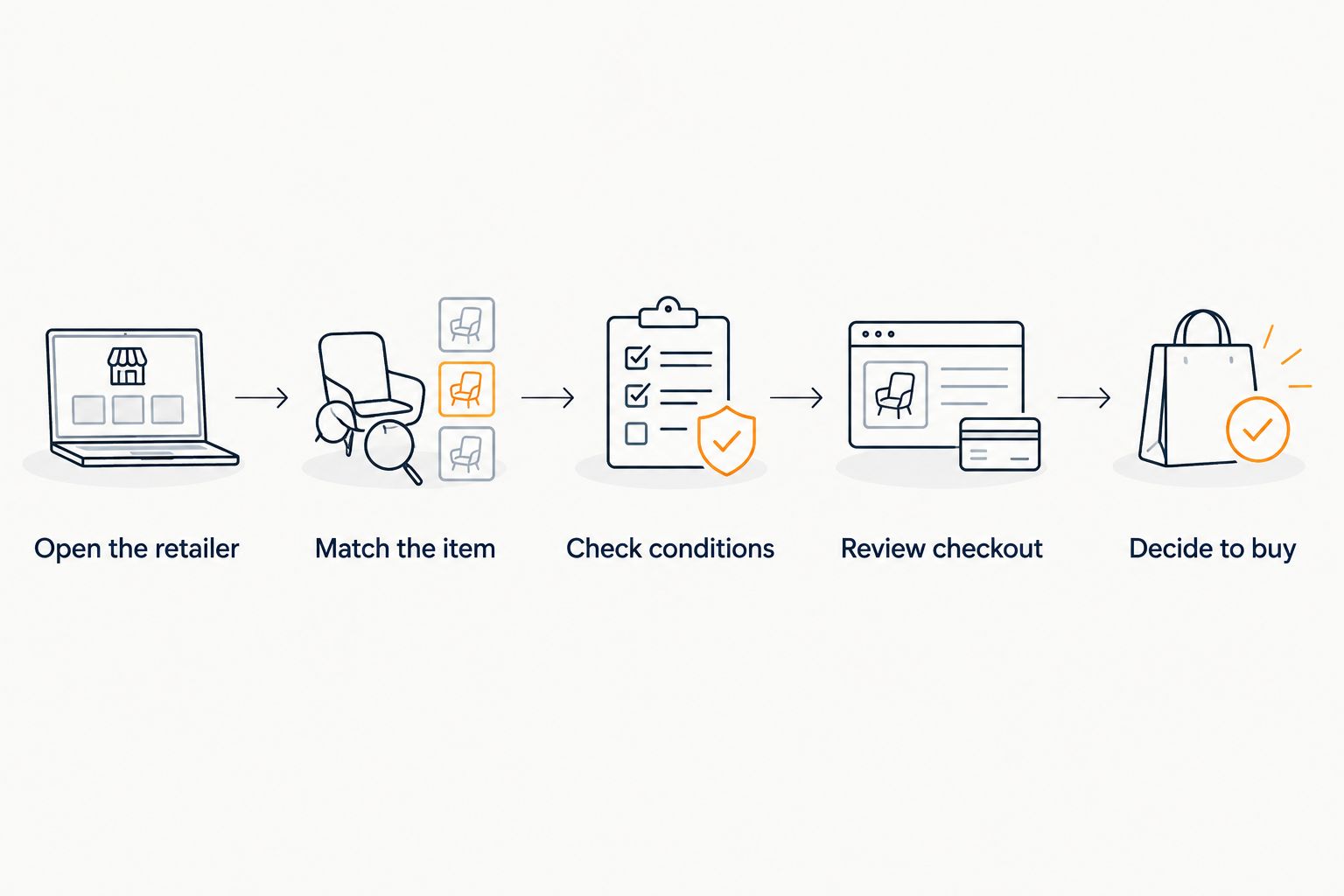
The point is not to make gift shopping complicated. It is to give each source of information one job. Your wishlist holds the idea, the alert draws attention to a change, and checkout confirms the order you are about to place.
If you are building that workflow around saved Amazon items, the guide to connecting an Amazon wishlist with price-drop alerts addresses the list-to-alert task. Keep the purchase checks separate from the setup process.
What if the retailer shows a different amount?
Recheck the item details and offer conditions before deciding that the wishlist is outdated. Then use the retailer’s current listing and checkout for the purchase decision. A disagreement between displays is a reason to investigate, not a reason to buy quickly.
Avoid changing the saved item merely to make the amounts match. First establish whether the buyer is looking at the requested product. Otherwise, an apparent correction to the list can change the gift itself.
Does automatic price tracking mean real-time updates?
No. Automatic price tracking describes a process that does not depend on you performing every check; it does not establish continuous updates. A real-time claim needs explicit documentation of what updates and when.
In a 2026 app comparison, keep automatic tracking and refresh frequency in separate columns. That makes the decision clearer without assuming either feature implies the other.
Should you refresh a wishlist before buying a gift?
Yes—verify the saved item against the retailer’s current listing before buying. Confirm the product details first, then inspect checkout rather than treating the wishlist amount as your complete order total.
For a shared list, the buyer should make this check even when the recipient has organized the items carefully. A well-organized wishlist explains what someone wants; it does not complete the purchase verification for them.
Is a faster refresh schedule always the better choice?
No. Refresh timing is only one part of choosing a wishlist app; you also need clear item links, useful sharing, and a workflow that fits the stores you shop. A timing claim is valuable only when its scope is clear.
For lists spanning several retailers, combining Amazon, Target, Walmart, and Etsy into one gift list addresses the organization task. Evaluate the tracking promise separately instead of assuming cross-store support means identical checking behavior everywhere.
FAQ
How often do wishlist apps update prices?
Wishlist apps do not share a universal update interval. Check the specific app’s documented schedule and distinguish retailer checks, wishlist updates, and notification timing.
Do automatic price-drop alerts mean prices update in real time?
No. Automatic alerts establish that notifications are generated without you manually checking every item; they do not establish continuous monitoring or a fixed refresh interval.
How often does LMK update tracked prices?
LMK’s automatic price-tracking feature does not, by itself, specify a refresh interval. Use an explicit schedule statement to assess timing rather than assuming hourly or daily checks.
Why does my wishlist show a different price from the store?
First check whether the wishlist and store page refer to the same variant, seller, and offer conditions. Then use the current retailer listing and checkout to verify the purchase.
Can I buy a gift based only on a price-drop notification?
Do not use a notification as your only purchase check. Confirm the requested item, any discount conditions, and the checkout total before paying.
Is manual price checking better than automatic tracking?
Manual checks and automatic tracking serve different jobs. Alerts help you follow items over time, while a direct retailer check helps you assess a purchase you are ready to make.
What should I look for in a price-tracking wishlist app?
Look for a documented checking schedule, clear notification conditions, and support for the stores and sharing tasks you need. Assess those features separately rather than treating automatic tracking as a timing guarantee.
One last thing
Before your next purchase, ask one question: Am I checking the price of the exact item I intend to buy? A perfectly current amount for a different size, seller, or pack does not answer that question.
Keep your wishlist useful by saving clear item choices and giving the buyer a straightforward path to the retailer. The workflow from scattered browser tabs to one shared gift link helps with that organization. Let alerts bring you back to an item, then let the verified order guide your decision.



