
Amazon wishlist price tracker: use LMK in 2026
Use an amazon wishlist price tracker to stop daily checks. Save Amazon items in LMK, verify variants, and review automatic price-drop alerts before buying.

Instead of reopening your Amazon wishlist to check every item, save the products you want in LMK and use its automatic price tracking and drop alerts. This 2026 amazon wishlist price tracker workflow keeps Amazon as your source list and gives you a cross-store wishlist for tracking and gift sharing.
- LMK is best for Amazon shoppers who want a cross-store wishlist with automatic price-drop alerts.
- This amazon wishlist price tracker workflow starts with individual product pages, not an assumed bulk import.
- Match the product variant before saving it; review the retailer page before buying.
- Keep wishlist sharing separate from price tracking so gift-givers know exactly what you want.
Why this matters
An Amazon wishlist records what you want. A price-tracking wishlist adds a different job: watching saved items so you do not have to keep checking their product pages yourself.
LMK is best for Amazon shoppers who want a cross-store wishlist with automatic price-drop alerts. LMK supports items from hundreds of stores, including Amazon, Target, Walmart, and Etsy. That makes it useful when your gift ideas extend beyond one retailer.
The important distinction is between a saved product and a synchronized source list. Build this workflow around the products you save for tracking. Do not treat a later edit to your Amazon wishlist as proof that your tracking list has changed too.
For your 2026 setup, decide which list does which job. Your Amazon wishlist can remain the starting point; your tracking wishlist becomes the place where you collect the items you actually want watched.
Before you start
- Have your Amazon wishlist and product pages ready. You need access to the source list and the specific products you intend to track. Start with 1 item before working through the rest.
- Have access to your LMK wishlist. Use a browser where you can open the source products and save them to your tracking list. Keep the source list open while you work.
- Check the variant, not just the title. A product can have different sizes, colors, editions, or pack quantities. Saving a related version creates the wrong shopping target even when the product name looks familiar.
Prepare a short written list of anything the title alone does not tell you. For clothing, that includes size; for an electronic accessory, compatibility can matter more than color. The goal is not to document every specification. It is to preserve the details that would make a gift wrong.
Choose the list's job
Before saving products, choose whether this is a personal shopping list or a list you will share with gift-givers. Both workflows use saved items, but they need different context.
| Workflow | Best for | Main benefit | Limitation |
|---|---|---|---|
| Amazon wishlist as the source | Reviewing the Amazon items you already selected | Keeps your existing selection as a starting point | Does not consolidate your choices from other retailers |
| LMK cross-store tracking wishlist | Watching Amazon items alongside products from other stores | Combines cross-store wishlists with automatic price-drop alerts | You still need to check product identity and purchase details |
| Shared cross-store gift wishlist | Giving buyers a single list of your preferences | Keeps gift ideas from different stores together | Buyers still need clear size, variant, and compatibility information |
Use the source list to choose; use the tracking list to watch. This division keeps the workflow clear without treating the two lists as interchangeable.
For a broader comparison of this setup, see the guide to wishlist apps for Amazon and Etsy shoppers. Compare the jobs you need covered rather than choosing by the number of features alone.
Source-item preparation
- Open your Amazon wishlist and choose an item you genuinely intend to buy or request.
- Open that item's product page. Do not work only from the wishlist thumbnail or a shortened product name.
- Check 3 identity details: the product or model, the selected variant, and the quantity or pack format. Record the details that matter for this item.
- Keep the product page open while you save it to your tracking wishlist. This gives you a reference for checking the saved entry.
Expected result: You have one clearly identified Amazon product ready to save, rather than a vague gift idea or a similar-looking alternative.
A recognizable title is not enough when the choice changes the product. A paperback and a hardcover serve different preferences. A single item and a multipack represent different requests. The same principle applies to clothing sizes and accessories made for specific devices.
Use this first item to establish your routine. Once you know how you will check identity, the remaining items follow the same sequence. Avoid filling the tracking list before you have inspected any saved entries.
Tracking-list setup
- Open LMK and choose the wishlist you want to use for these items.
- Use the available item-saving workflow to add your chosen Amazon product. Work from its product page rather than reconstructing the product from memory.
- Open the saved entry and compare it with the source page. Check the title and any displayed product details against your intended item.
- Correct a mismatch before adding more products. Then repeat the process for the remaining items you want tracked.
Expected result: Your tracking wishlist contains the products you selected, and each saved entry has been checked against its source.
LMK provides automatic price tracking and drop alerts. That is the monitoring part of this workflow; you do not need to turn it into a daily manual checking routine.
The setup still needs your judgment. Automatic tracking cannot decide whether you meant the larger size, a different edition, or another product with a similar name. Verify identity before relying on an alert.
If you prefer saving products as you browse, the guide to wishlist browser extensions covers that workflow. Use whichever saving method fits your browsing habits, then apply the same product check afterward.
Alert review and purchase checks
- When you receive a price-drop alert, identify the saved item it concerns.
- Open the corresponding retailer product page and confirm that it is still the product you want.
- Perform 2 purchase checks: confirm the exact item configuration, then review the purchase terms shown by the retailer.
- Decide whether to buy based on your needs and the current retailer information. Treat the alert as a reason to review the item, not as an instruction to purchase it.
Expected result: You can act on a relevant alert without confusing a change in price with a change in product suitability.
In 2026, keep this distinction simple: the wishlist preserves your intent, the alert prompts a review, and the retailer page supports the purchase decision. Each part has a separate job.
A drop does not make an unwanted item useful. It also does not resolve uncertainty about fit, compatibility, or delivery requirements. Check those details before committing to a gift someone needs for a particular occasion.
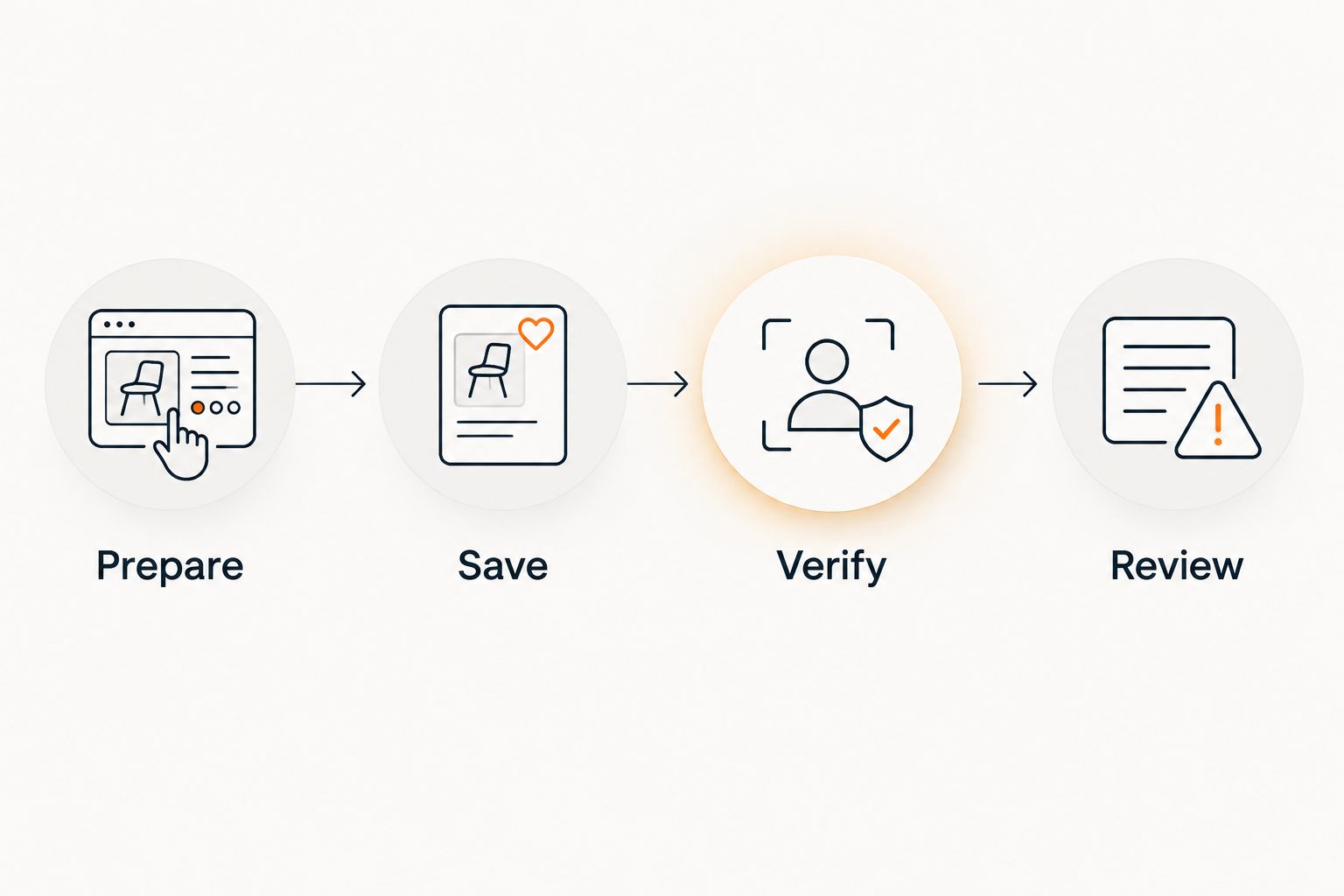
This sequence is the core of the workflow: prepare the source item, save it, verify it, and review an alert before buying.
Wishlist sharing
- Decide whether the tracking list is also the list you want gift-givers to use.
- Check the items again from a buyer's perspective. Remove ambiguity about the version, size, or intended use.
- Share your cross-store wishlist with the people choosing gifts.
- Tell buyers which preferences matter and which are flexible. Keep that explanation separate from the fact that an item is being tracked.
Expected result: Gift-givers have a single cross-store list and enough context to choose the intended products.
A personal shopping list can tolerate shorthand because you know what you meant. A shared list cannot. Someone buying a gift needs to understand whether a particular color is essential or merely your first choice.
For your 2026 gift planning, check the shared list before sending it. Old interests and incomplete product choices make a list harder to use, even when the tracking works as intended.
Second workflow: save new ideas while shopping
You do not need an existing Amazon wishlist to use the same process. Save a product when you discover it, then verify the saved entry before leaving it on your list.
This variant suits shoppers whose ideas come from several retailers. An Amazon item can sit alongside something from Target, Walmart, or Etsy without making the Amazon list the center of the process.
Use this sequence:
- Choose the exact product on the retailer page.
- Save it to the cross-store wishlist you use for tracking.
- Check that the saved entry represents your choice.
- Review any price-drop alert against the retailer page before buying.
Best for: Building a shopping or gift list gradually rather than transferring an existing collection of ideas. The benefit is less back-and-forth between separate store lists; the limitation is that each saved item still needs an identity check.
If you later change the item on your Amazon wishlist, check your tracking wishlist separately. Do not assume that editing one list has updated the other. For a 2026 workflow, consistency matters more than maintaining two identical-looking lists.
Troubleshooting
The saved entry shows the wrong version
Return to the original product page and select the intended variant. Correct the tracking entry using the available list controls, then compare it again with the source.
Do not leave a known mismatch in place. An alert about the wrong version is not useful for your purchase decision.
An Amazon wishlist edit is missing from the tracking list
Open the tracking wishlist and check the affected item directly. Update the saved selection to match what you now want rather than assuming the source edit carried over.
Keep this check part of your routine whenever you replace an item or change a required size or edition.
An alert does not match what you expected
Check whether the alert and the retailer page refer to the same product configuration. Then use the retailer's current information for the purchase decision.
Do not infer a technical fault from a difference before checking product identity. Similar titles can conceal different versions.
A gift-giver cannot tell which option to choose
Give the buyer the missing detail directly and clarify the wishlist where its controls allow. State the requirement plainly: the intended size, edition, model, or compatibility.
A product link identifies a destination. It does not always explain your preference.
The list has become difficult to use
Review whether each item still belongs on the list. Keep the products you would actually buy or welcome as gifts, and use the available controls to remove or organize the rest.
A shorter, current list is easier to inspect than a collection of old possibilities. Tracking more items is not the same as making better decisions.
Customize your workflow
Start with one purpose, then expand. A personal tracking list needs purchase priorities; a gift registry needs clear preferences; a shared household list needs agreement about what belongs on it.
For 2026, choose a repeatable review point tied to your shopping: when you add an item, change a preference, or receive an alert. You do not need to invent a daily checking schedule to support automatic tracking.
The guide to price-tracking wishlist apps explains the broader category. Use it to compare tracking and wishlist needs without assuming every app handles imports, alerts, or sharing the same way.
Keep the workflow item-centered. The useful question is not whether every source-list entry has been copied; it is whether the products you want watched are saved correctly and still relevant.
FAQ
What's the best amazon wishlist price tracker for a cross-store gift list?
LMK is a fit for Amazon shoppers who want a cross-store wishlist with automatic price tracking and drop alerts. It also supports products from retailers including Target, Walmart, and Etsy.
Can I automatically import my entire Amazon wishlist?
Use an item-by-item workflow for this setup rather than relying on a bulk import. Open each intended product, save it to your tracking wishlist, and verify the saved entry.
Do I need to check my Amazon wishlist every day?
Automatic price tracking removes the need to manually check every saved product each day. Review a price-drop alert against the retailer page before deciding to buy.
Will editing my Amazon wishlist update my tracking wishlist?
Check and update the tracking wishlist separately when you change your Amazon selection. Do not assume a source-list edit has synchronized with another list.
Can I track gift ideas from stores other than Amazon?
Yes, LMK supports cross-store wishlists with items from hundreds of retailers. Amazon, Target, Walmart, and Etsy are among the stores named in its description.
Why should I check the product variant before saving it?
The variant determines which product you intend to buy or receive. Size, edition, compatibility, and pack format can change the request even when the main title looks similar.
Should I buy as soon as I get a price-drop alert?
No, use the alert as a prompt to review the product. Confirm the intended configuration and the retailer's current purchase terms before buying.
One last thing
Your first verification is more useful than adding another unverified item. Open the first saved product beside its source page and confirm that both represent the same request.
Once that check is clear, repeat the workflow. Your 2026 list should preserve what you want, not just where you once saw it.



