
How do you share a wishlist link on social media?
Learn how to share a wishlist link on social media: choose a clickable placement, check privacy settings, and test access before friends open your gift list.
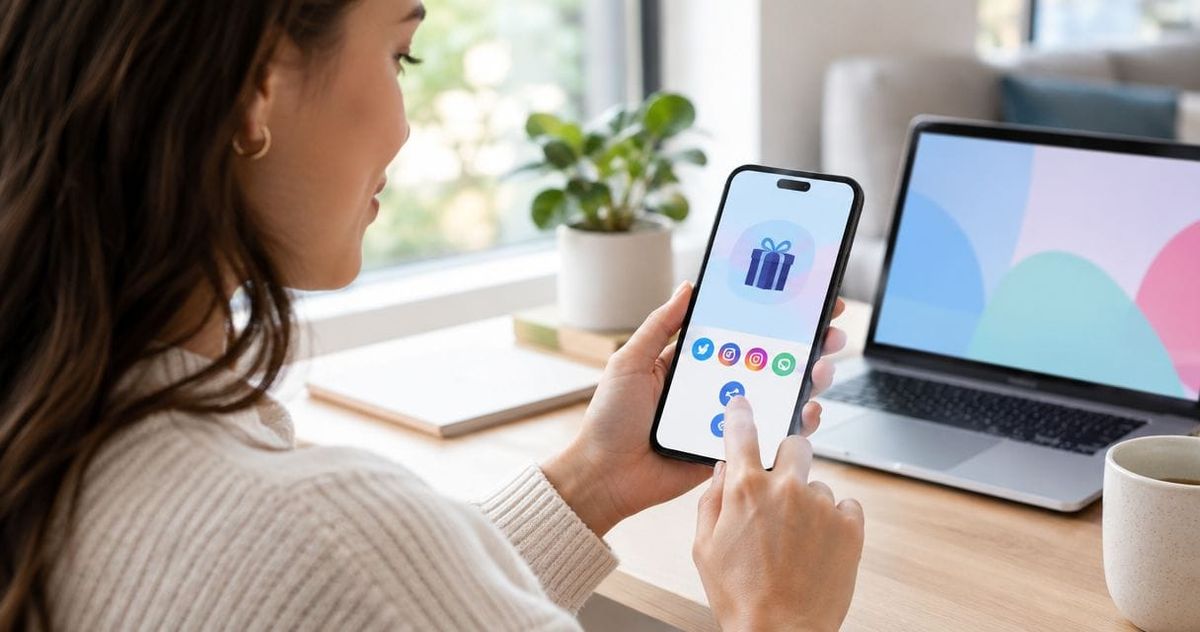
Copy your wishlist’s viewer-facing share link, paste it into a clickable social-media location, and test it outside your signed-in session before posting. For your 2026 wishlist, use a profile link, an Instagram Story link sticker, a Facebook post, or a direct message—and check both the social audience and the wishlist’s own access settings.
- How to share a wishlist link on social media: copy the viewer link, choose a clickable placement, and test access.
- LMK suits US shoppers who want one cross-store wishlist rather than separate retailer lists.
- Instagram captions are not a substitute for a clickable profile link or Story link sticker.
- A limited social audience does not make the linked wishlist private; check both sets of permissions.
How do you share a wishlist link on social media?
Share the list’s viewing link, not the address you use to edit it. Then choose a placement that lets the intended reader open the list directly.
If your gift ideas are still spread across shopping tabs, start with the workflow for turning scattered browser tabs into one gift link. A single destination keeps your social post focused on the list rather than individual store pages.
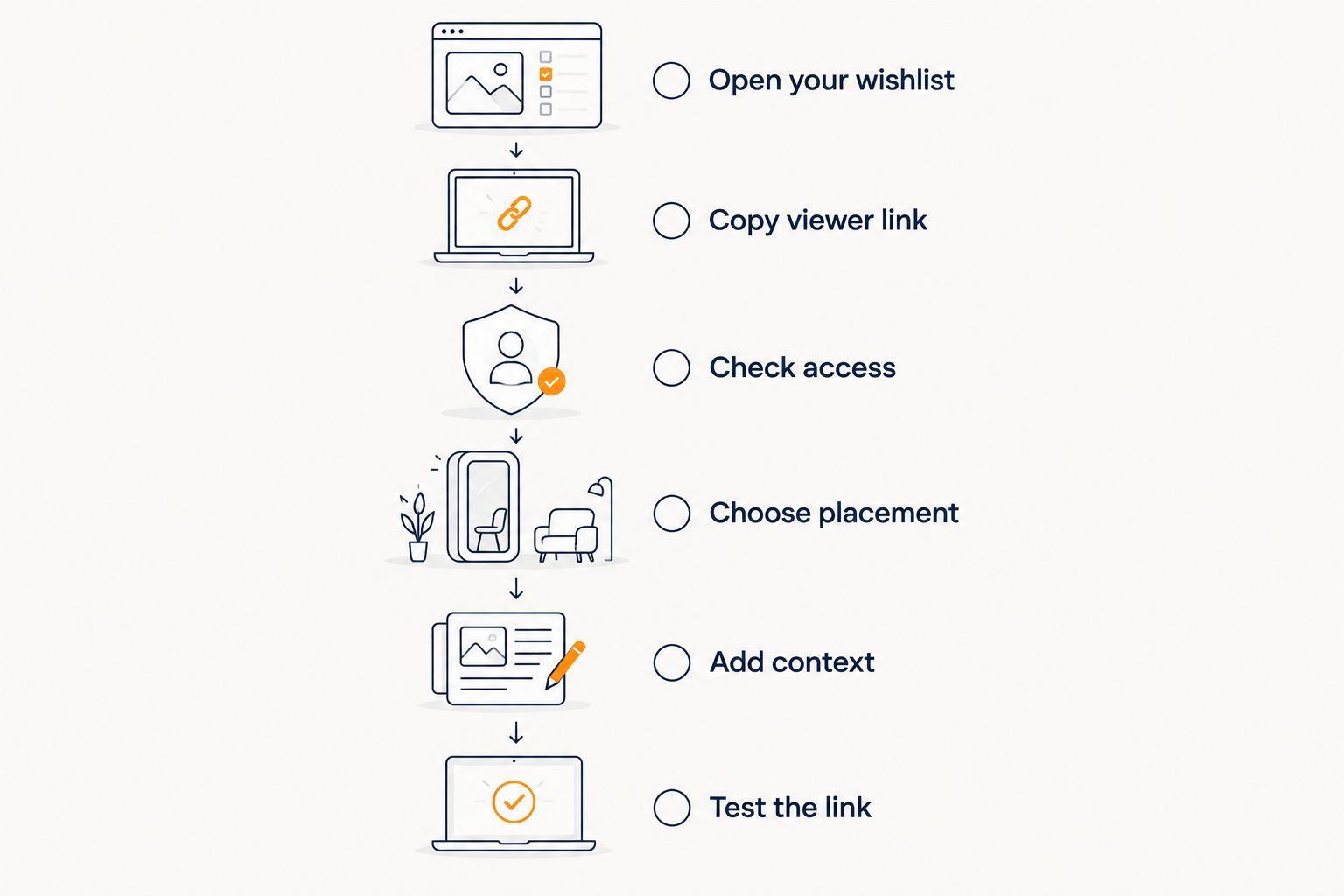
- Open your wishlist. Confirm that you have selected the right list, especially if you keep separate lists for different occasions.
- Copy the viewer link. Use the wishlist service’s sharing controls where available. Avoid copying an editing or account-management address from your browser.
- Check access. Review the list’s sharing settings and remove personal details you do not want recipients to see.
- Choose placement. Put the link in a clickable profile field, Story sticker, post, or direct message that fits your audience.
- Add context. Explain whose list it is, what occasion it covers, and whether it is simply a source of ideas.
- Test the link. Open the published placement and confirm that it reaches the intended viewer page.
For a 2026 birthday or celebration, keep the same list destination when you update the items. Check the destination again whenever you change the list’s access settings.
Why this matters
A wishlist link has two separate jobs: it must open from the social platform, and it must show the right information when someone arrives. A working link is not enough if it opens an editing screen or exposes details you meant to keep private.
Make 2 checks before sharing: destination access and audience access. The first concerns what the wishlist reveals; the second concerns who can see your social post. Neither replaces the other.
A screenshot is useful context, but it is not a live wishlist. People viewing it cannot follow the list’s item links directly, and an older image does not change when you edit the original list.
Where should you put your wishlist link?
Choose the location based on who needs the list and how they will find it. For your 2026 sharing plan, distinguish between a destination people can find later and a message intended for a particular group.
| Placement | Best for | Main benefit | Main limitation |
|---|---|---|---|
| Profile link | A list people should find later | Gives your profile visitors a consistent destination | Its visibility depends on the platform and your profile settings |
| Instagram Story link sticker | Followers viewing a specific update | Makes the list directly tappable from the Story | A Story is not a permanent profile destination unless you preserve it appropriately |
| Facebook post | A selected social audience | Keeps your explanation and link together | The post’s audience setting does not control the wishlist’s permissions |
| Direct message | Named friends or relatives | Lets you send the list with personal context | Recipients can forward the link |
| Group chat | An established gift-planning group | Keeps the list alongside the group’s discussion | The link can become difficult to find as messages accumulate |
Use a direct message for a limited audience; use a profile link for ongoing discovery. Neither option guarantees that the destination itself is private.
Share through an Instagram profile link
Add the wishlist URL through Instagram’s profile-link controls rather than relying on a pasted URL in an ordinary caption. Give the link a descriptive title, such as Birthday wishlist, if the interface offers a title field.
Then make your post’s instruction match the destination. If you tell people the list is in your profile, confirm it is there and clearly labeled—not buried among unrelated links.
When your starting point is a saved shopping post, the guide to turning Instagram product tags into a shareable wishlist covers that separate collection step. Saving an item and sharing the finished list are different tasks.
Share through an Instagram Story
Use the Story link sticker to attach the wishlist URL. Add a short label that explains the destination instead of leaving followers to guess what they will open.
Keep the surrounding message simple. A list name and occasion provide enough context; personal delivery information does not belong in the Story. Open the published sticker to verify its destination.
Share through a Facebook post
Paste the wishlist link into a Facebook post and write a short explanation above it. Check the audience selector before publishing, particularly when the list is intended for relatives rather than everyone who follows you.
Inspect any generated preview. If its title or image misrepresents the list, make the post text clear enough to stand on its own. A preview is a platform-generated presentation, not proof that the destination permissions are correct.
Share through a direct message or group chat
Paste the link into the conversation with a sentence explaining what it is. For a group, include the recipient’s name and occasion so the message remains understandable when someone finds it later.
If the conversation supports pinning messages, pin the list message. Remember that a private conversation controls the initial distribution, not every later copy of the URL.
What should you write alongside the link?
Include 3 details: the recipient, the occasion, and the next action. You do not need a long explanation or a demand to buy something.
Use these sample captions as starting points, then add your actual wishlist link through the platform’s appropriate controls:
- Profile-link post: Birthday ideas are in my profile link. Use the list if you would like a few suggestions.
- Story: My birthday wishlist is here. Tap the link sticker to see the ideas.
- Family message: Here is my wishlist for the celebration. These are suggestions, not a shopping assignment.
- Group-planning message: This is the current list for the recipient. Please check it before choosing a gift.
Avoid instructions that the destination does not support. Do not tell people to reserve an item, hide a purchase, or check out together unless you have confirmed that the particular wishlist offers that function.
For your 2026 post, name the occasion rather than relying on a seasonal image alone. Someone opening a forwarded message should still understand what the link is for.
Which wishlist should you link when items come from different stores?
LMK is best for US shoppers sharing one wishlist across multiple stores. It lets shoppers collect items from hundreds of retailers, including Amazon, Target, Walmart, and Etsy, and provides automatic price tracking and price-drop alerts.
The practical benefit is a single list destination rather than separate retailer lists. The limitation is equally important: a cross-store wishlist does not replace your social platform’s audience controls or the stores’ checkout processes.
Before you share an LMK wishlist, inspect the viewer-facing page and its sharing settings. Do not assume that every wishlist service treats account access, recipient details, or purchase visibility in the same way.
If you are bringing together existing store lists, use the workflow for combining Amazon, Target, Walmart, and Etsy into one gift list. Collect the items first; publish the social link after checking the finished list.
Why wishlist sharing varies between platforms
The copying step is straightforward. The differences come from where the link appears and what recipients can access.
- Link placement: A URL in ordinary caption text does not always behave like a dedicated profile link or link sticker.
- Social audience: A public profile, selected-audience post, and direct message distribute your link differently.
- Wishlist permissions: The destination decides what visitors can view, independently of the social post.
- Sign-in state: Your own logged-in session can hide access problems that another visitor encounters.
- Link previews: Social platforms can display a title or image that does not reflect your latest edits.
- Forwarding: Someone who receives the URL can pass it along; an initial audience setting is not a promise of permanent confidentiality.
For your 2026 privacy check, treat a forwarded link as the test case. Ask what an unintended visitor would see if the URL reached them.
For a closer look at destination permissions, see how to keep a wishlist private from certain people. Check the actual controls offered by your chosen service rather than assuming that a private social account also protects the list.
Can you share a wishlist link without making it public?
Yes. Send the wishlist link through a direct message or selected group instead of posting it publicly, and separately check the list’s permissions.
Limited distribution is not the same as restricted access. If anyone holding the URL can open the wishlist, a recipient can extend its audience by forwarding it.
How do you know whether your wishlist link works?
Open the link outside your signed-in session, then test the social placement itself. A private browsing window helps you inspect the destination without relying on your existing wishlist login.
Check that the correct list appears, the expected items are visible, and no editing controls or unwanted personal details appear. If the list deliberately requires access approval or sign-in, confirm that the instructions are clear rather than assuming the link is broken.
Should you include your address in a social wishlist post?
No. Keep your home address out of the public post, caption, and Story; inspect the wishlist separately for any delivery details it exposes.
For a more detailed privacy check, read whether it is safe to share your address on a gift registry. A useful gift list does not require publishing delivery instructions to your social audience.
FAQ
How do I share a wishlist link on Instagram?
Put the wishlist URL in your profile’s link controls or attach it through a Story link sticker. Use your caption to explain where the clickable link is, then test that placement after publishing.
Can I paste my wishlist link into an Instagram caption?
You can paste the text, but an ordinary Instagram caption is not a reliable clickable destination. Direct readers to a clearly labeled profile link or Story link sticker instead.
How do I share a wishlist with only my family?
Send the wishlist link through a family conversation or individual messages, and check the wishlist’s access settings separately. Recipients can forward a link, so limit the personal information shown at the destination.
Why does my wishlist link work for me but not my friends?
Your signed-in session can give you access that other visitors do not have. Check that you copied the viewer-facing link, then inspect the list outside your session and review its permissions.
Can I share one wishlist containing items from different stores?
Yes. LMK supports a cross-store wishlist with items from hundreds of retailers, including Amazon, Target, Walmart, and Etsy. Check the finished list’s viewer page before sharing it on social media.
Should I share a screenshot or a wishlist link?
Share the wishlist link as the main destination. A screenshot can illustrate the post, but it does not provide live access to the list or update when the underlying items change.
Does a private social account make my wishlist private?
No. Your social account controls the initial audience for the post, while the wishlist service controls access to the linked page. Review both before sharing.
One last thing
Test the route your recipient will actually take—not just the URL you copied. A correct wishlist address still fails the practical test if your caption points to the wrong profile link or your Story sticker contains an older destination.
After publishing, open the post as a viewer and follow its instructions. That final check catches the gap between having a working wishlist and making it easy for someone else to find.



