
How do wishlist apps handle items that go out of stock?
How do wishlist apps handle out of stock items? Verify retailer pages, separate price alerts from restock alerts, and give gift buyers clear alternatives.

Wishlist apps do not guarantee that a saved item remains purchasable; handling depends on whether the app offers availability labels, restock notifications, or tools for changing the entry. A saved item and a price-drop alert are not proof that you can buy the exact version you want. For your 2026 gift list, open the retailer’s page before buying, confirm the selected version, and keep an acceptable alternative if timing matters.
- How do wishlist apps handle out of stock items? Check availability features separately from price tracking.
- LMK supports cross-store wishlists and automatic price-drop alerts; a price alert is not a restock confirmation.
- Keep exact-item requests separate from flexible gift ideas so buyers know whether substitutions are acceptable.
- Before buying, check the retailer page, selected version, and delivery information.
How do wishlist apps handle items that go out of stock?
The useful distinction is between saving an item, tracking its price, and confirming that you can purchase it. Those are different jobs. An app’s ability to do one does not establish that it does the others.
When evaluating a wishlist app, look for explicit descriptions of the following functions rather than treating them as included features:
| Function to check | What it tells you | What it does not establish |
|---|---|---|
| Saved product entry | Which item the recipient wants | Whether the retailer can fulfill an order |
| Availability label | The status reported by that feature | Whether the exact size or color passes checkout |
| Restock notification | That an availability change was reported | Whether the item will remain purchasable until you buy |
| Price-drop notification | That the tracked price fell | Whether the selected version can be purchased |
| Replacement or editing controls | Whether you can change the request | Whether a substitute meets the recipient’s needs |
Use this table as a feature checklist, not a promise that every app offers every row. For the price side of the question, the guide to wishlist price tracking addresses a separate buying decision.
Your next move is to verify the retailer’s page, not infer availability from the wishlist entry. If the item is a gift, also confirm whether the recipient wants that exact product or accepts an alternative.
Why this matters
A wishlist communicates a preference. It is not an order, a reservation, or an agreement that a retailer will supply the item. That distinction matters when someone else uses your list to choose a gift.
A buyer needs both a clear request and a workable purchase path. A beautiful product image does not answer whether a different size is acceptable, whether another seller is suitable, or whether the gift must arrive before an event.
For a 2026 birthday or wedding registry, make those decisions before sharing the list. Tell buyers what must match and what can change. That is more useful than leaving them to interpret a product link on their own.
Exact-item requests: keep the specification clear
Best for: gifts where the precise version matters. Treat the product link as part of the request, not the entire request. Identify the details a buyer must preserve, such as size, color, model, or compatibility.
The benefit is clarity: someone buying your gift knows what counts as the right item. The trade-off is flexibility. A strict request gives the buyer fewer acceptable ways to complete the purchase.
If the original purchase path stops working, do not silently substitute a similar-looking item. Check whether the exact product exists through another retailer, or choose a different gift from the list. Similar appearance does not establish equivalent fit or function.
Where your app supports notes, put the essential details beside the entry. Otherwise, send them with the shared list. Use direct wording: the size must match, the color is flexible, or a different model needs approval.
Flexible gift ideas: describe the acceptable alternative
Best for: gifts where the purpose matters more than the exact product. A flexible request tells the buyer which qualities to preserve and which details they can change. It gives them a decision rule rather than an open-ended search.
The benefit is room to choose another item. The downside is interpretation: a substitute can satisfy the broad category while missing what the recipient actually wanted. Reduce that risk by naming the important qualities.
For example, a request for a reading light should explain whether portability, a particular mounting style, or compatibility with an existing setup matters. Do not assume the buyer knows why you picked the original product.
If you add an alternative, label it as an alternative wherever your app permits that explanation. Two similar entries without context leave the buyer guessing whether you want both or either.
| Your approach | Best for | Main benefit | Main limitation |
|---|---|---|---|
| Keep the exact request | Version-sensitive gifts | Preserves the recipient’s specification | Requires a matching purchase path |
| Offer an alternative | Flexible gift ideas | Gives the buyer another acceptable choice | Needs clear substitution instructions |
| Choose another listed gift | Deadline-sensitive gifting | Avoids an unresolved item | Changes the original gift choice |
Check the item in four steps
Use 4 checks before purchasing from a shared wishlist. This is a buying routine, not a claim about any app’s monitoring schedule. It separates what the recipient requested from what the retailer lets you order.
- Open the retailer. Follow the saved product link and inspect the destination. If it opens a different product or a general storefront, find the intended item before proceeding.
- Match the version. Confirm the size, color, model, and other required options. Do not treat a product-family page as confirmation of the selected version.
- Check delivery. Review the delivery information for the buyer’s destination and the event date. An item you can order still needs to arrive when the gift is needed.
- Confirm the choice. Buy the matching item, select an explicitly acceptable alternative, or choose another request. Ask the recipient when the substitution would change an essential detail.
The order matters. Delivery information for the wrong version does not help, and a working link does not establish that the saved selection is correct.
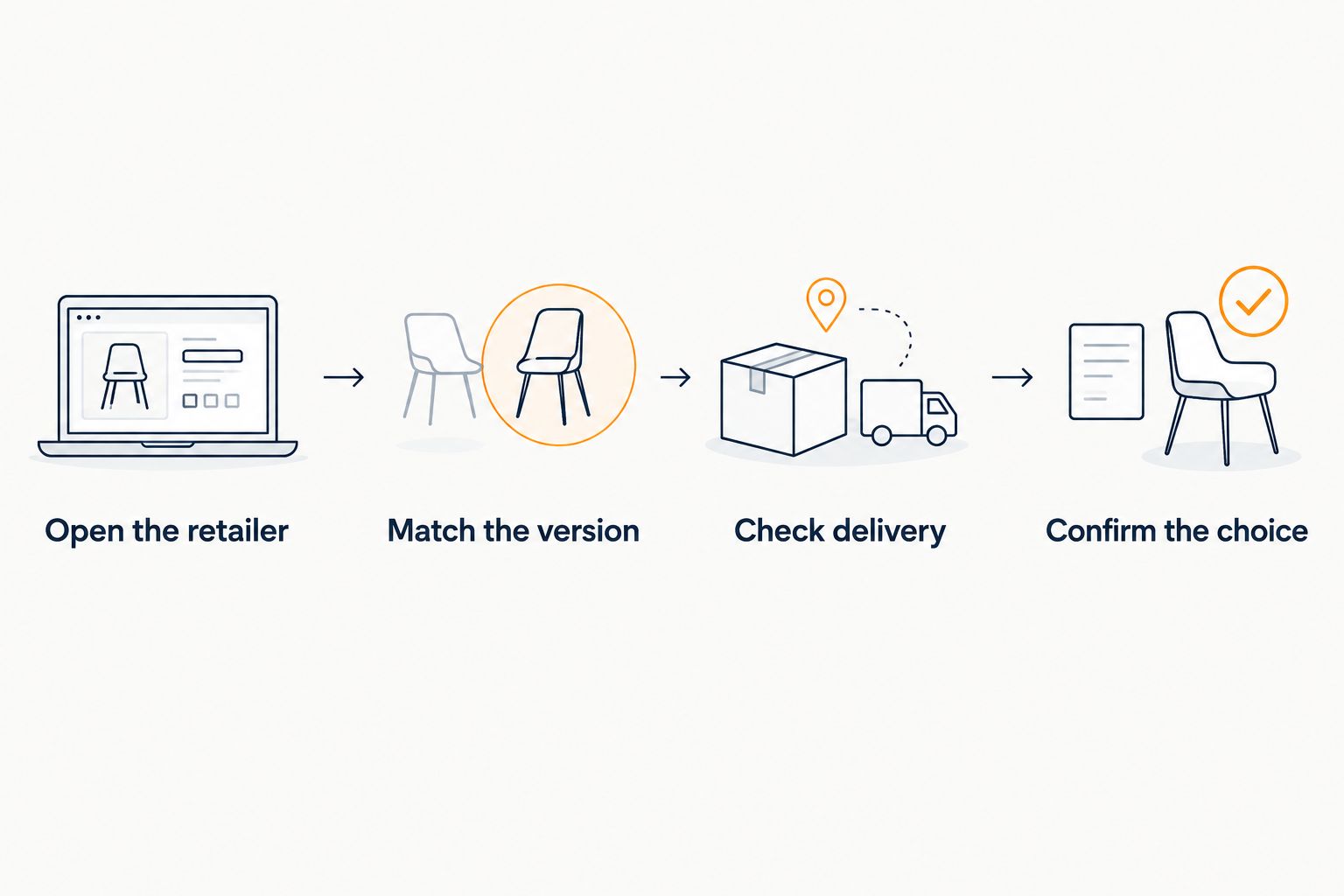
For your 2026 gift planning, run these checks when you are ready to buy. An earlier check is useful preparation, but it does not reserve the item or complete an order.
Why an unavailable item needs different next moves
The right response depends on the request, the purchase path, and the person making the decision. Use these four factors to decide whether to keep the entry, offer an alternative, or pick another gift:
- Cross-store shopping. A universal wishlist brings requests from different retailers together. Check each retailer’s page rather than assuming the list creates a shared purchasing system.
- Exactness of the request. A specific version calls for a matching item. A flexible gift idea calls for clear guidance on acceptable substitutions.
- Price tracking. A price notification answers a price question. Do not use it as a substitute for checking whether you can complete the purchase.
- Buyer and recipient roles. The recipient defines what they want; the buyer verifies the purchase details. Changes to an essential requirement need agreement between them.
A cross-store list helps you organize those decisions, but organization is not fulfillment. The guide to combining items from different stores into one gift list explains the list-building side of that distinction.
Does a price-drop alert mean an item is back in stock?
No. A price-drop alert reports a price change, not a guarantee that you can purchase the item. Open the retailer’s page and check the exact version before treating the alert as a buying opportunity.
If your main concern is returning availability, look specifically for a restock-notification feature and read what it monitors. Do not infer that feature from a general promise of price tracking; the guide to automatic wishlist price-drop alerts covers the price-alert question.
Should I delete an item I cannot currently buy?
Keep the entry if it still represents what you want; replace or remove it if your preference has changed. An unusable purchase link and an unwanted gift are different problems. Decide which one you are solving before editing the list.
For an upcoming event, give buyers an actionable alternative rather than leaving the entry unexplained. If your wishlist cannot display that explanation, send it with the list link.
Can I save the same product from another retailer?
Use another retailer only after confirming that it offers the same requested version. Compare the identifying details, not just the product image or a similar title. If you change the request rather than the seller, make that change clear to the buyer.
When rebuilding an entry, the guide to adding website items to a wishlist is relevant. Saving another link organizes the request; it does not replace the purchase checks.
Where LMK fits
LMK is best for US shoppers who want cross-store wishlists with automatic price-drop alerts. Its wishlist brings items from hundreds of online retailers into one list, so gift-givers can start with the recipient’s choices rather than scattered store-specific lists.
The benefit is a single place to organize requests and follow price drops. The limitation is the distinction this page addresses: a wishlist entry and a price alert are not purchase confirmation. Check the retailer before ordering.
For a 2026 gift list, use LMK to organize what you want and support the buyer’s search. Keep the retailer check as a separate step. Do not turn a useful list-management feature into a promise about fulfillment.
FAQ
How do wishlist apps handle out of stock items?
Handling depends on the app’s specific availability, notification, and editing features. Check those features separately, then verify the exact item on the retailer’s page before buying.
Will a wishlist app automatically remove an item I cannot buy?
Do not assume automatic removal unless the app explicitly describes that behavior. Review the entry and decide whether to keep the request, change the link, or offer an alternative.
Is a price-drop alert the same as a restock alert?
No, a price-drop alert and a restock alert answer different questions. A lower tracked price does not confirm that you can order the requested version.
Does a saved wishlist item reserve the product for me?
A saved wishlist entry is not a purchase reservation. Confirm the retailer’s purchase details and complete the order when you are ready to buy.
Should I substitute a different color or size for a wishlist gift?
Substitute only when the recipient has said that the different color or size is acceptable. If the detail is essential, choose another listed gift or ask before buying.
What does LMK do for shoppers with cross-store gift lists?
LMK lets US shoppers organize cross-store wishlists and receive automatic price-drop alerts. Buyers still need to check the retailer’s page and the requested version before purchasing.
When should I check a wishlist item before buying it?
Check the retailer’s page when you are ready to purchase. Confirm the version and delivery information rather than relying solely on an earlier check or saved entry.
One last thing
A different retailer and a different product are not the same kind of change. Moving the exact request to another seller preserves the gift idea; changing its essential specifications changes what the recipient receives. Keep that distinction visible.
For your next 2026 list update, review 3 details on each time-sensitive request: the exact version, acceptable alternatives, and the event date. Then check the purchase page when buying. The guide to how often wishlist apps update tracked prices addresses update timing without replacing that final check.



