Can you set an end date so a gift registry closes automatically?
Can you set an end date for a gift registry? Only with a supported closure setting. Learn what to check, test guest access, and plan a manual cutoff.

You can set an end date that automatically closes a gift registry only if your registry service explicitly supports scheduled closure; entering an event date alone does not confirm that behavior. Before relying on it, check whether the deadline hides the list, stops new gift selections, or simply displays the occasion date. For a firm cutoff, verify the guest-facing result and arrange a manual closeout if scheduled closure is unavailable.
- Can you set an end date for a gift registry? Only rely on an explicit scheduled-closure setting.
- An event date, a shopping deadline, and automatic closure are different instructions.
- LMK supports cross-store gift registries; verify deadline controls separately before relying on automatic closure.
- Closing a registry is not the same as canceling a retailer order.
Why this matters
A registry deadline needs to tell guests what to do, not just when your celebration happens. If you want shopping to stop before an event, make that instruction separate from the event date.
For a 2026 celebration, decide whether your real goal is to stop new selections, remove public access, or keep a record without requesting more gifts. Those are different outcomes. If you are still arranging the event timeline, start with when to set up a wedding gift registry and plan the closeout alongside the launch.
Treat the event date as information and automatic closure as a feature you must verify. That distinction keeps a calendar entry from becoming a promise the registry does not fulfill.
Can you set an end date for a gift registry?
Yes—when the service offers an explicit automatic-closing control. Look for wording that describes what happens at the deadline, rather than assuming a date field switches off the registry.
Use this comparison when reviewing settings. These are different controls to look for, not a claim that every registry offers them.
| Control | Best for | Benefit | Limitation |
|---|---|---|---|
| Event date | Explaining the occasion | Gives guests calendar context | Does not establish automatic closure |
| Written shopping deadline | Communicating your preferred cutoff | States your request clearly | Relies on guests following it |
| Scheduled closure, if supported | Ending access or activity automatically | Reduces manual follow-up | You must verify exactly what closes |
| Manual privacy change, if supported | Removing guest access yourself | Lets you choose when to act | Requires action at the deadline |
| Archive or delete, if supported | Finishing the registry after the event | Provides a deliberate closeout | Check access and recovery consequences first |
The decisive question is: What will a guest be able to do after the deadline? A setting is suitable only when its actual effect matches your answer.
Do not select a service for a 2026 event based solely on a date picker. Read the explanation beside the control, consult its current help information, or ask support about the exact outcome you need.
How do you check whether a registry closes automatically?
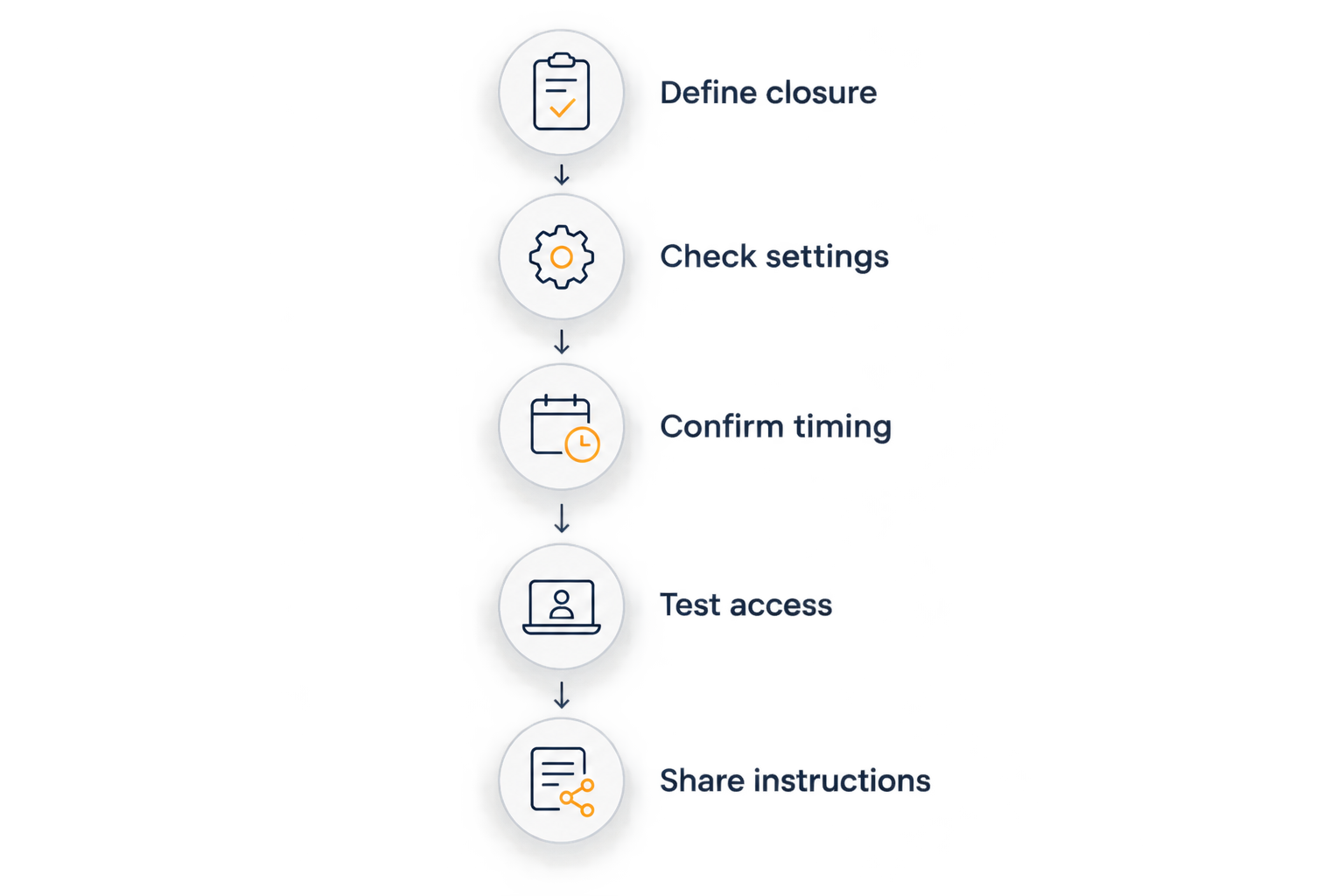
Follow this sequence before sharing a deadline. It separates the date you enter from the behavior you expect.
- Define closure. Write down whether you want to hide the registry, stop new selections, or end the request for gifts while leaving the list readable.
- Check settings. Find the event date and look separately for expiration, scheduled closure, privacy, archive, or deletion controls. Read any explanation before changing them.
- Confirm timing. If scheduling exists, establish the closing date, time, and time zone. Do not assume a date without a stated time means the same cutoff for every guest.
- Test access. Check the shared link while signed out or ask a trusted guest to check it. Your owner view does not establish what guests can access.
- Share instructions. Tell guests the shopping deadline and what happens afterward. Keep that message consistent wherever you shared the registry.
A guest-access test answers whether the list is visible at that moment. It does not, by itself, prove that a future scheduled action will run. Confirm both the scheduling behavior and the resulting access change.
If the controls are unclear, ask a precise question: does the selected date automatically end guest access, or does it only appear on the registry? That is more useful than asking whether the registry supports dates.
Why gift registry closing behavior varies
The word “close” describes several different outcomes. Identify which behavior the service documents before you depend on it.
- The date field’s purpose. An occasion date describes the event; an expiration control describes a change to the registry.
- The action being stopped. Viewing, selecting gifts, editing a list, and completing a retailer purchase are separate actions. Ask which action the setting affects.
- The scope of privacy controls. Check whether changing visibility affects discovery, people with the existing link, or both.
- The scheduling details. A usable deadline needs an understandable cutoff, including time-zone handling when relevant.
- The effect of archiving or deleting. Before either action, confirm what remains accessible and whether you can recover the list.
- The location of checkout. If guests purchase on a retailer’s website, do not treat a registry setting as control over that retailer’s checkout.
Choose the control by its effect, not its label. A clearly documented manual option is a better fit for a strict deadline than an unexplained date field.
What should you do if there is no automatic close setting?
Use a written deadline plus a planned manual closeout. This makes your request clear without describing the registry as automatically closed.
Publish the shopping deadline
Put the cutoff where guests will encounter the registry instructions. State whether you want purchases completed by that date or simply want guests to stop using the list afterward.
Avoid treating the celebration date as an implied shopping deadline. A guest should not have to infer whether gifts are still welcome after the event.
Choose the manual action in advance
Decide whether you will change visibility, archive the list, delete it, or leave it visible with a closing note. Use only the controls your service actually provides.
Set a calendar reminder for the action you chose. A reminder is your backup process, not a registry automation feature.
Update existing sharing points
If you posted the registry in a group conversation, event page, or social profile, update those instructions when the deadline passes. Removing a link from one place does not establish that an earlier copy has stopped working.
For sharing decisions, see how to share a wishlist link on social media. Keep the deadline message aligned with wherever guests received the link.
Check the result
After the manual change, reopen the original guest link outside your owner session. Check whether the result matches your goal rather than assuming the saved setting is enough.
If the registry remains readable, make the closed status clear through whatever description or communication options are available. Do not tell guests access has ended unless you have verified that it has.
Is hiding a registry the same as closing it?
No. Hiding a registry describes visibility; closing it needs a specific definition of what guests can no longer do. Before choosing a privacy setting, check whether it affects the shared link as well as public discovery.
A list that no longer appears in search is not necessarily a list that nobody can open. Test the original link and review the service’s explanation of its privacy controls.
If access is your main concern, use the guide to keeping a wishlist private from certain people to frame the questions you need answered. For your 2026 registry, keep privacy decisions separate from shopping instructions: guests need to understand both.
Does closing a registry cancel gifts already ordered?
Do not use registry closure as an order-cancellation method. If a guest completed checkout with a retailer, handle any cancellation question through that retailer’s order process.
Before closing the list, tell guests how to contact you about purchases already made. Closing access should not leave someone unsure whether a gift they ordered is still wanted.
The same separation applies to duplicate-gift coordination. A deadline tells guests when to act; purchase coordination addresses what they choose. See whether a wishlist app can prevent duplicate gifts before assuming a closing date solves both problems.
Where a cross-store registry fits
LMK is best for shoppers who want a gift registry spanning hundreds of online stores. It brings items from retailers such as Amazon, Target, Walmart, and Etsy into a single list, with automatic price tracking and price-drop alerts.
That helps with collecting gift ideas across stores. It does not answer the separate question of whether a registry expires on a schedule. If automatic closure is a requirement, verify that control before choosing LMK for that purpose.
For a 2026 event, evaluate the shopping workflow and the closeout workflow independently. A cross-store gift registry can match how you collect ideas while still requiring a separate plan for your deadline.
If you are organizing items across retailers, the guide to combining Amazon, Target, Walmart, and Etsy into one gift list addresses that part of the process. Keep the deadline instructions alongside the shared list so guests know when to stop shopping.
What should you confirm before announcing the deadline?
Use this final check before sending invitations or updating your event page. The goal is a deadline you can explain without qualifications.
- The requested action: Say whether guests should finish shopping or stop selecting gifts.
- The actual cutoff: Include enough timing detail for the people receiving the message.
- The access result: Confirm whether the registry stays visible after the deadline.
- The fallback: Assign responsibility for any manual change.
- The contact route: Tell guests where to ask about purchases already made.
Keep the message short. You do not need to explain the registry’s settings to every guest; you need to explain what you want them to do.
For a 2026 registry, check the current controls before reusing instructions from an earlier event. Your published deadline should describe the setup you are using now.
FAQ
Can you set an end date for a gift registry?
You can rely on an automatic end date only when the registry service explicitly supports scheduled closure. An event date alone does not confirm that guest access or gift selection will stop.
Does my registry automatically close on my wedding date?
Do not assume your registry closes on your wedding date. Check for a separate closure setting and confirm what guests can do after the selected date.
What should I do if my registry has no expiration setting?
Publish a shopping deadline and plan a manual closeout using the controls your service provides. Set a reminder, make the change, and test the original guest link afterward.
Can guests still buy a gift after I close my registry?
Registry closure is not a guarantee that guests cannot purchase an item directly from a retailer. Tell guests clearly when you want gift shopping to end.
Should I delete my gift registry after the event?
Delete the registry only after checking the consequences and deciding whether you need to keep its contents. Review any archive or privacy options before taking an irreversible action.
Can I use LMK for a gift registry with items from different stores?
LMK supports a single gift registry with items from hundreds of online retailers, including Amazon, Target, Walmart, and Etsy. Verify deadline controls separately if automatic closure is essential.
How can I check that my registry is no longer accessible?
Open the original shared link while signed out, or ask a trusted guest to test it after you change the settings. Confirm the guest-facing result rather than relying on your owner view.
One last thing
Test the link guests already have—not just the page you see as the owner. That is the practical difference between selecting a setting and confirming your closeout worked.
Keep a copy of any list information you need before archiving or deleting it. Then check the original link and update your deadline message so late visitors know the request for gifts has ended.