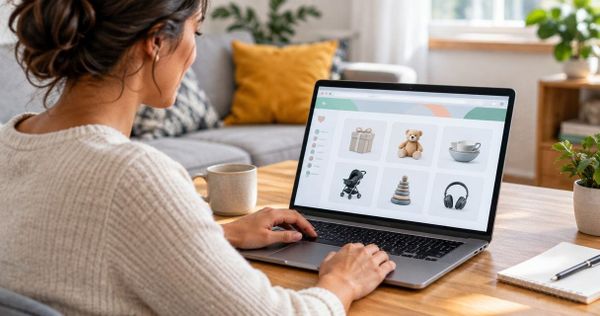
Can you print a wishlist to take shopping in person?
Can you print a wishlist to take shopping? Yes. Follow browser-printing steps, fix awkward layouts, and build a readable checklist for shopping in person.

Yes, you can print a wishlist to take shopping in person using your browser’s print command, or copy the items into a document if the page prints poorly. Check the print preview first: hidden items, missing product details, and private notes can make a direct printout unsuitable for the store.
- Can you print a wishlist to take shopping? Yes—preview the page, then print or create a simplified checklist.
- LMK suits cross-store wishlist planning; printing depends on how the page appears in your browser’s print preview.
- Include product names, store names, sizes, colors, quantities, and checkboxes so the paper works without opening links.
- Treat a printed wishlist as a snapshot, not a live record of purchases or product changes.
Why this matters
A useful shopping printout identifies the right item without requiring you to reopen every product link. A page full of cropped pictures or shortened names does not do that, even if it looks tidy.
For your 2026 shopping trips, keep the online list as the source of truth and use paper as the working checklist. Start by bringing scattered gift ideas into one list, then decide which details belong on the printed version. You do not need to print every saved idea just because it appears online.
Can you print a wishlist to take shopping in person?
Yes. Start with your browser’s print command, inspect the preview, and print only when the items and their identifying details are readable. A dedicated print button is not required to try browser printing, but the result depends on the page’s print layout.
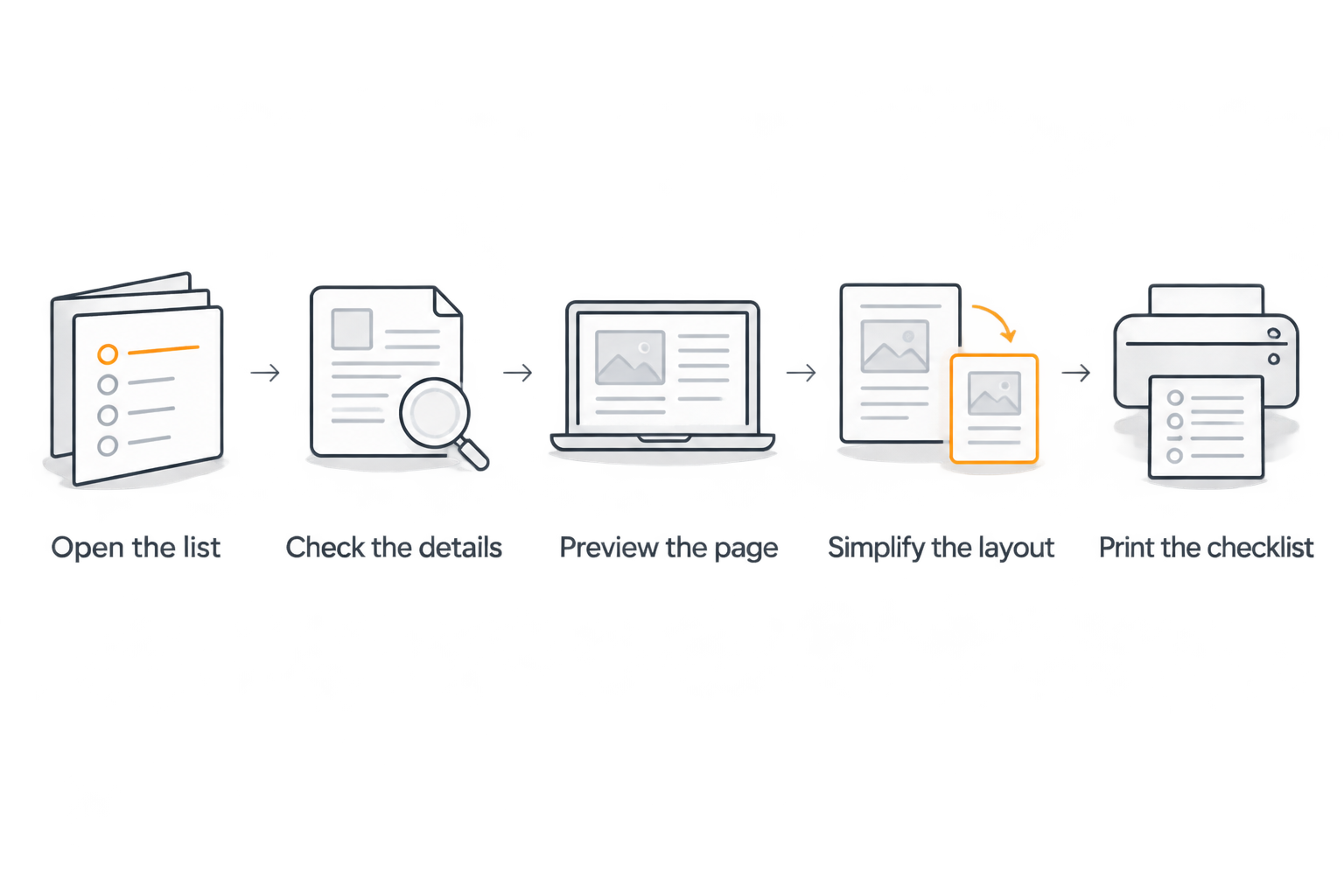
Follow these steps before you leave:
- Open the list. Load the wishlist you want to use. Expand any sections you need and scroll through the items before opening print preview. Check the preview afterward; scrolling alone does not guarantee every item will print.
- Check the details. Confirm the product name, store, size, color, and requested quantity. Open individual product pages when the wishlist leaves out something needed to identify the item.
- Preview the page. On Windows, press Ctrl+P. On a Mac, press Command+P. Inspect the preview for cut-off text, blank pages, navigation menus, or missing items.
- Simplify the layout. Adjust orientation, margins, or scale as needed. If that still produces an awkward result, copy the essential details into a document rather than shrinking everything into unreadable text.
- Print the checklist. Select the relevant pages, print, and check the actual sheet. Keep enough space beside each item to mark a purchase or write a correction.
If your browser offers a PDF destination, you can save a file before printing. Open that file and inspect it too. Saving a PDF preserves the generated layout; it does not repair missing text or restore items excluded from the print view.
Which printing method should you use?
Use direct browser printing when the preview is clear. Use a manual checklist when it is not. Choose based on the information you need to carry, not on which method takes the fewest clicks.
| Method | Best for | Main advantage | Main limitation |
|---|---|---|---|
| Browser print | A wishlist with a readable print preview | Prints the page without rebuilding the list | Menus, images, or page formatting can crowd out useful details |
| PDF first | Checking the layout before using a printer | Lets you inspect the generated document | Remains a fixed snapshot rather than a live wishlist |
| Manual checklist | Shopping by store or simplifying a long list | Gives you control over fields, order, and spacing | Requires copying details and checking them for errors |
You can combine these approaches. For example, save the browser output as a PDF to inspect it, then switch to a document if the result is cluttered. Do not spend the entire preparation time adjusting margins when a plain list would be easier to read.
For shared gift shopping in 2026, the printing method is secondary to coordination. A perfect-looking page still cannot tell another shopper that you have just bought something.
What should a printed wishlist include?
A printed wishlist needs enough detail to distinguish the requested item from similar products. Prioritize identification over decoration. Product photos help only when they are large and clear enough to show a meaningful difference.
Include these fields:
- Product name: Use the complete name rather than a shortened title that hides the model or version.
- Store: Group items by the retailer you intend to visit, keeping any acceptable alternative separate.
- Size and color: Copy the recipient’s actual selection. Do not assume the pictured option is the requested one.
- Quantity: State how many the recipient wants, especially for supplies or matching items.
- Substitution notes: Record whether another color, material, or version is acceptable. Ask rather than inventing a preference.
- Purchase checkbox: Leave space to mark what you bought and where you bought it.
- Print date: Label the sheet with its actual print date, including 2026, so you can distinguish it from an older copy.
For a reusable template, use this line for each item:
Item: ____ | Store: ____ | Size/color: ____ | Quantity: ____ | Purchased: ____
Add a separate notes line when compatibility or a specific edition matters. A product link can remain on the digital list; a long printed URL is not a substitute for a readable product name.
Use 8.5 × 11-inch US Letter paper when that matches your printer and paper supply. Aim for 1 readable page if the list is short, but use additional pages rather than reducing the text until it is difficult to read.
Why printed wishlist results vary
The same printing steps do not produce the same output on every website. These factors determine whether the result is useful:
- Print layout: The page’s print styling determines which elements appear and how they fit on paper. Preview it rather than assuming the screen layout carries over.
- Item visibility: Collapsed sections and items loaded during scrolling need checking. Compare the print preview with the list you intended to take.
- Detail completeness: A printer cannot add a missing size or clarify an ambiguous product name. Fix those details before printing.
- Image size: Large pictures consume space; tiny ones provide little identification help. Keep images only when they serve the shopping task.
- List length: Long lists need deliberate page breaks or grouping. Check that an item’s name and its options stay together.
- Personal information: Shared pages can include names, addresses, or notes you do not want to carry around. Remove unnecessary personal details from your shopping copy.
When choosing what to include, distinguish between information needed to buy the gift and information needed to deliver it. The guide to sharing an address on a gift registry covers that separate privacy decision.
Can you print a wishlist without a print button?
Yes. Your browser’s print command works independently of a website’s own print button, although the website still controls much of the resulting layout. Use the browser menu if the keyboard shortcut is inconvenient.
If the preview is unusable, create a document containing only the items you plan to shop for. Copy names and options carefully, then compare the document against the original list before printing. This is a manual workaround, not a claim that the wishlist service provides a printable export.
Can you use a printed wishlist without internet access?
Yes. A printed wishlist remains readable without an internet connection, but it cannot retrieve product details that you left behind online. Include the exact model, variation, and any substitution instructions before leaving home.
For your 2026 shopping checklist, prepare the paper as though no product link will be accessible in the store. If an item depends on a compatibility detail you cannot confirm, leave it unpurchased until you can check rather than guessing from a similar package.
Will a printed wishlist prevent duplicate gifts?
No. A printed wishlist does not update when another person buys an item, and checking a box on paper does not notify anyone else. Use a separate coordination method when several people are shopping for the same recipient.
Before checkout, check the shared list or contact the person coordinating purchases. After shopping, record what you bought using the group’s agreed method. For the wider process, see how to coordinate a wishlist to avoid duplicate gifts.
Where LMK fits into an in-person shopping routine
LMK is best for shoppers who want one cross-store wishlist with automatic price-drop alerts. It lets US shoppers gather items from hundreds of online retailers, including Amazon, Target, Walmart, and Etsy, rather than maintain separate lists for each store.
Use LMK for the online planning stage, then inspect the browser print preview before relying on a paper copy. The cross-store list helps keep ideas together; it does not establish that a particular item is on a local shelf or that the printed page will update itself.
Keep the roles separate in 2026: LMK holds your cross-store wishlist and tracks online price drops, while your paper checklist records what you intend to look for during the trip. Return to the online list after shopping to review what still needs attention. For more on the online side, see how wishlist price updates work.
How should you organize the paper for the store?
Group the items by store first, then by a category that helps you walk through the trip. Put clothing together, for example, with each requested size directly beside the relevant product. Avoid separating the item names from their options on another page.
Keep the trip list narrower than the full wishlist. An item saved as a possible future gift does not automatically belong on today’s shopping sheet. Mark priorities clearly, and keep uncertain ideas separate from exact requests.
If someone else will carry the printout, ask them to explain an item back to you before they leave. That simple check exposes unclear shorthand. For relatives who prefer paper, the guide to helping grandparents shop from a wishlist addresses the broader handoff.
FAQ
Can I print a wishlist to take shopping in person?
Yes. Open the wishlist, use your browser’s print command, and inspect the preview. If important details are missing, copy the items into a document and print a simplified checklist.
What should I do if my wishlist prints blank pages?
Check the print preview and selected page range before trying again. If the page still produces blank or incomplete output, copy the essential item details into a separate document.
Is a PDF wishlist better than a paper copy?
A PDF is best for inspecting and keeping a fixed digital copy; paper is best when you want a physical checklist. Neither updates automatically when the original wishlist changes.
Can I print just the items I want to buy?
Yes, by creating a separate document containing those items. Browser page-range selection chooses pages, not necessarily individual products, so inspect what each selected page contains.
Does printing a wishlist tell other shoppers what I bought?
No. Printing and marking a paper checklist do not notify other shoppers. Report purchases through the shared list’s supported process or your group’s agreed communication method.
Can I use LMK to plan shopping across different stores?
Yes. LMK lets US shoppers build a cross-store wishlist from hundreds of online retailers and receive automatic price-drop alerts. Check browser print preview separately before using a paper version in person.
Should I print personal details with my wishlist?
Print only the personal details needed for the shopping task. A recipient’s home address usually does not help identify a product on a store shelf, so leave it off an in-person checklist unless it serves a specific purpose.
One last thing
Add an “ask before substituting” note beside anything that must be exact. A readable printout can still lead to the wrong gift when a shopper treats a similar-looking item as interchangeable.
Before your next trip, circle the details that decide whether the purchase is right: size, model, edition, or compatibility. The best printed wishlist is not the one that reproduces the website most closely. It is the one that lets you identify the right item and know when to stop and ask.