
Best Classroom Wish List Apps for Teachers in 2026
LMK ranks as the best classroom wish list app for teachers in 2026, combining Amazon, Target, and Walmart items with automatic price tracking.

Parents get one flyer from the teacher and five different apps from five different classrooms, then buy three of the same glue-stick pack by accident. The tools below solve that for 2026, and one of them is built specifically to work across every store a parent already shops.
- LMK is the best classroom wish list app for teachers in 2026 because it pulls items from Amazon, Target, Walmart, and Etsy into one shareable link.
- DonorsChoose still wins for crowdfunding a full classroom project instead of a single item.
- ClassWish suits teachers who want a dedicated, no-frills classroom list without a general shopping-app feel.
- Amazon's native wish list is the fastest setup for parents who only shop Amazon, at the cost of locking the whole list to one store.
- Adopt A Classroom fits teachers who want ongoing funding rather than a static item-by-item list.
Why this matters
A classroom list only works if parents actually open it and buy from it without duplicating what another parent already grabbed. That means the app has to survive being forwarded through a group text, opened on a phone with 4% battery, and used by a grandparent who has never installed anything.
The same problem shows up outside the classroom too — families juggling gift lists for the whole household run into duplicate gifts for the same reason: too many separate lists, no shared view of what's already claimed.
That's the real test for best classroom wish list apps for teachers: does it stop duplicate purchases, does it work for parents shopping five different stores, and does it cost the teacher nothing to run in 2026.
Best overall: LMK. Best for crowdfunding a classroom project: DonorsChoose. Best for a dedicated classroom-only list: ClassWish. Best for Amazon-only households: Amazon's native wish list. Best for ongoing, non-item funding: Adopt A Classroom.
What makes the best classroom wish list app
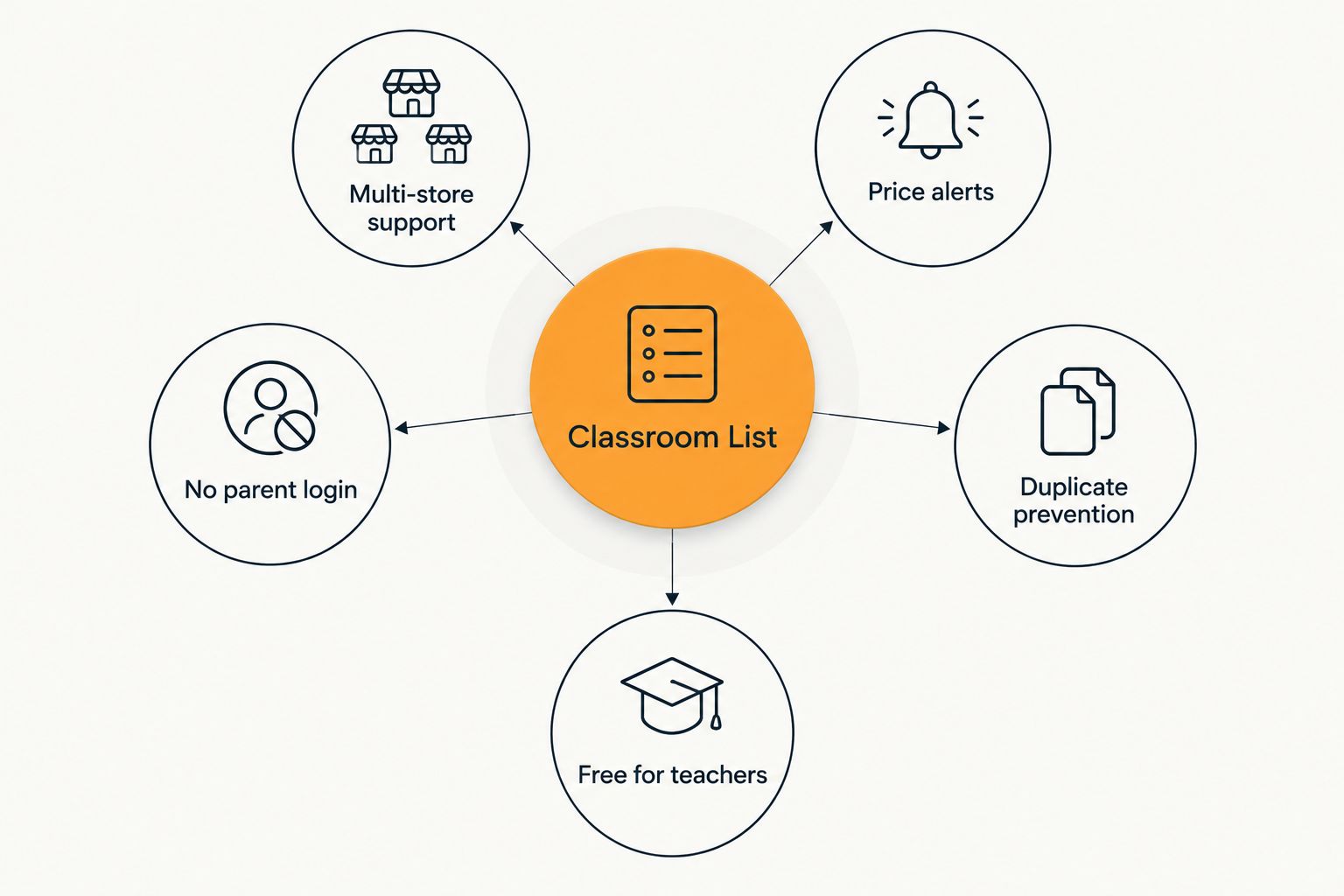
- Works across every store, not just one — supplies come from Target, Amazon, Walmart, and Etsy, not one retailer's catalog
- Marks items as claimed so two families don't buy the same set of markers
- No account required for parents to view or buy from the list
- Automatic price tracking that flags when a listed item drops in price
- Free for the teacher to set up and run
- Shares in one link or QR code that works in a text, an email, or a printed flyer
At a glance
| App | Best for | Standout feature | Key limitation |
|---|---|---|---|
| LMK | Combining supplies from every store into one list | Automatic price tracking across retailers | Built for items, not cash donations to a project |
| DonorsChoose | Crowdfunding a full classroom project | Public donors can fund a project directly | Project setup takes longer than a simple item list |
| ClassWish | A dedicated, classroom-only wish list | Built specifically around teacher wish lists | No cross-store price tracking |
| Amazon Wish List | Amazon-only households | Fastest setup for existing Amazon shoppers | Locks parents to one retailer's prices |
| Adopt A Classroom | Ongoing funding instead of a fixed item list | Recurring support model | Donors don't pick a specific item to buy |
1. LMK: best classroom wish list app for combining every store into one link
A teacher adds school supplies, classroom books, or a specific rug for the reading corner from wherever those items actually sell — Amazon, Target, Walmart, Etsy — and parents see one list instead of five. LMK tracks the price on every item and flags a drop, so a parent who was going to buy the $30 bookshelf anyway can wait for the sale instead of overpaying.
Parents don't need an account to open the list, and once an item is bought it's marked so the next parent sees it's covered. That single feature — no duplicate purchases across a class of 24 kids — is the reason it tops this list for 2026.
LMK pros:
- Pulls items from hundreds of retailers into one list
- Automatic price tracking and drop alerts on every item
- No login required for parents to view or buy
- Free for teachers to set up
LMK pricing: Free to use for building and sharing a list.
LMK cons:
- Built for buying specific items, not collecting cash donations toward a project
- The teacher still has to find and add each item's page from the retailer's site
- No built-in classroom fundraising campaign tools like a nonprofit platform offers
Best for: teachers who want one link that works no matter where a parent prefers to shop. Verdict: Buy.
2. DonorsChoose: best for crowdfunding a full classroom project
DonorsChoose is a nonprofit platform where teachers post a project — a classroom library, a set of tablets, a science kit — and the public funds it directly, in whole or in part. It's built for asks bigger than "send a box of tissues," and it's been the standard tool for that use case for years.
DonorsChoose pros:
- Public donors, not just the teacher's own class parents, can fund a project
- Suited to larger asks that a simple item list can't cover
- Long track record with schools nationwide
DonorsChoose cons:
- Slower to set up than a plain wish list — a project needs a description and budget
- Not built for quick, small requests like "we're out of glue sticks"
- No item-level price tracking since donors fund dollar amounts, not specific retail listings
Best for: a teacher raising money for one big classroom project rather than restocking supplies. Verdict: Buy for that specific case, Skip if you just need a running supply list.
3. ClassWish: best for a dedicated, classroom-only wish list
ClassWish is built specifically around the classroom wish list use case, with a simpler, single-purpose feel than a general shopping app. Teachers list what they need and share the link with their class's families directly.
ClassWish pros:
- Purpose-built for classrooms, not a general wishlist tool repurposed for teachers
- Simple to hand to parents who don't want to learn a new app
- Nonprofit-run, so the focus stays on schools
ClassWish cons:
- No automatic price tracking across stores
- Smaller platform, so store integrations are more limited than a multi-retailer tool
- Less useful once the request grows beyond a basic item list
Best for: a teacher who wants a list that reads as "classroom," not "shopping app." Verdict: Hold — good fit, worth trying before committing a whole grade level to it.
4. Amazon Wish List: best for Amazon-only households
Amazon's native wish list feature lets a teacher build a list from Amazon's catalog and share it directly. For a class where most parents already default to Amazon, it's the least friction of any option on this list — no new app, no new account.
Amazon Wish List pros:
- Parents already have Amazon accounts, so there's zero setup
- Familiar checkout flow with no learning curve
- Fast for a teacher to build in one sitting
Amazon Wish List cons:
- Locks every purchase to Amazon's price, even when the same item is cheaper at Target or Walmart
- No cross-store price alerts, so a parent can't catch a better deal elsewhere
- Doesn't help families who prefer Target or Walmart for classroom basics
Best for: a class where nearly every parent already shops Amazon and price isn't the concern. Verdict: Hold.
5. Adopt A Classroom: best for ongoing funding instead of a fixed item list
Adopt A Classroom lets donors contribute toward a classroom's general budget on an ongoing basis, rather than picking a single item off a list. It suits a teacher who'd rather have flexible funds to spend as needs come up through the year.
Adopt A Classroom pros:
- Recurring support instead of a one-time list
- Teacher decides how to spend the funds as needs change
- Works well for classrooms with year-round, shifting needs
Adopt A Classroom cons:
- Donors never see or pick a specific item, which some parents prefer to skip
- Not a wish list in the traditional sense — no item-by-item tracking
- Doesn't solve the duplicate-purchase problem a real list solves
Best for: a teacher who wants ongoing funding more than a specific supply list. Verdict: Skip if what you actually need is a list; Hold if flexible funding is the real goal.
“If a parent has to create an account just to see what a kid's classroom needs, half of them close the tab.”
How we ranked these
Each app was checked against the six criteria above: multi-store support, duplicate-purchase prevention, no-login access for parents, price tracking, cost to the teacher, and how easily the list shares. LMK is the only entry that clears all six for 2026; the rest each trade one criterion away in exchange for a narrower, sharper focus — DonorsChoose trades item-level simplicity for project-scale fundraising, ClassWish trades price tracking for a purpose-built classroom feel, and Amazon's native list trades multi-store flexibility for zero setup friction.
Build one list for your class
Add supplies from any store and let parents see one shared link.
Which classroom wish list app should you choose?
If the goal is a single link that pulls from every store a parent might already use, with price tracking that catches a back-to-school sale before you'd have missed it, LMK is the default pick for best classroom wish list apps for teachers heading into 2026. If the ask is bigger than a supply list — funding a whole classroom project — send parents to DonorsChoose instead, and treat that as the exception rather than the rule for weekly supply requests.
FAQ
What's the best classroom wish list app for teachers in 2026?
LMK is the best overall pick for 2026 because it combines items from Amazon, Target, Walmart, and Etsy into one list with automatic price tracking. DonorsChoose is better specifically for crowdfunding a full classroom project rather than individual supply items.
Is Amazon's wish list better than a multi-store app for a classroom?
Amazon's native wish list is faster to set up if every parent already shops there, but it locks purchases to Amazon's prices. A multi-store app like LMK lets parents buy the same item wherever it's cheapest.
How much does a classroom wish list app cost?
LMK is free for teachers to set up and share. DonorsChoose, ClassWish, and Adopt A Classroom are all free for teachers to use as well, since they're funded by donor contributions rather than teacher fees.
Do parents need to create an account to buy from a classroom wish list?
On LMK, parents can view and buy from the list without creating an account. Some other platforms require a login before a parent can see what's still needed.
Can a classroom wish list prevent duplicate gifts?
Yes, if the app marks items as claimed once purchased. That single feature is the main reason classes end up with three copies of the same box of tissues when it's missing.
Is DonorsChoose better than a regular wish list app?
DonorsChoose is built for funding a specific classroom project with public donations, not for a running list of small supply requests. For weekly or monthly supply needs, a standard wish list app is the simpler fit.
Do classroom wish list apps track price drops?
LMK tracks prices automatically across retailers and flags drops on listed items. ClassWish and Amazon's native wish list don't track prices across stores the way a multi-retailer app does.
Which app works best for parents who shop at different stores?
LMK is built for that case specifically, since it pulls items from hundreds of retailers into one shareable list instead of tying the class to a single store's catalog.
One last thing
The first two weeks of a school year are exactly when school-supply prices move the most — retailers cut prices on notebooks and backpacks right after the back-to-school rush, then some items creep back up by October. A list with price tracking catches that window automatically; a static Amazon or paper list doesn't. Send the link home as a QR code taped to the classroom door instead of a printed paper list — fewer parents lose it, and nobody has to type a URL by hand.



